
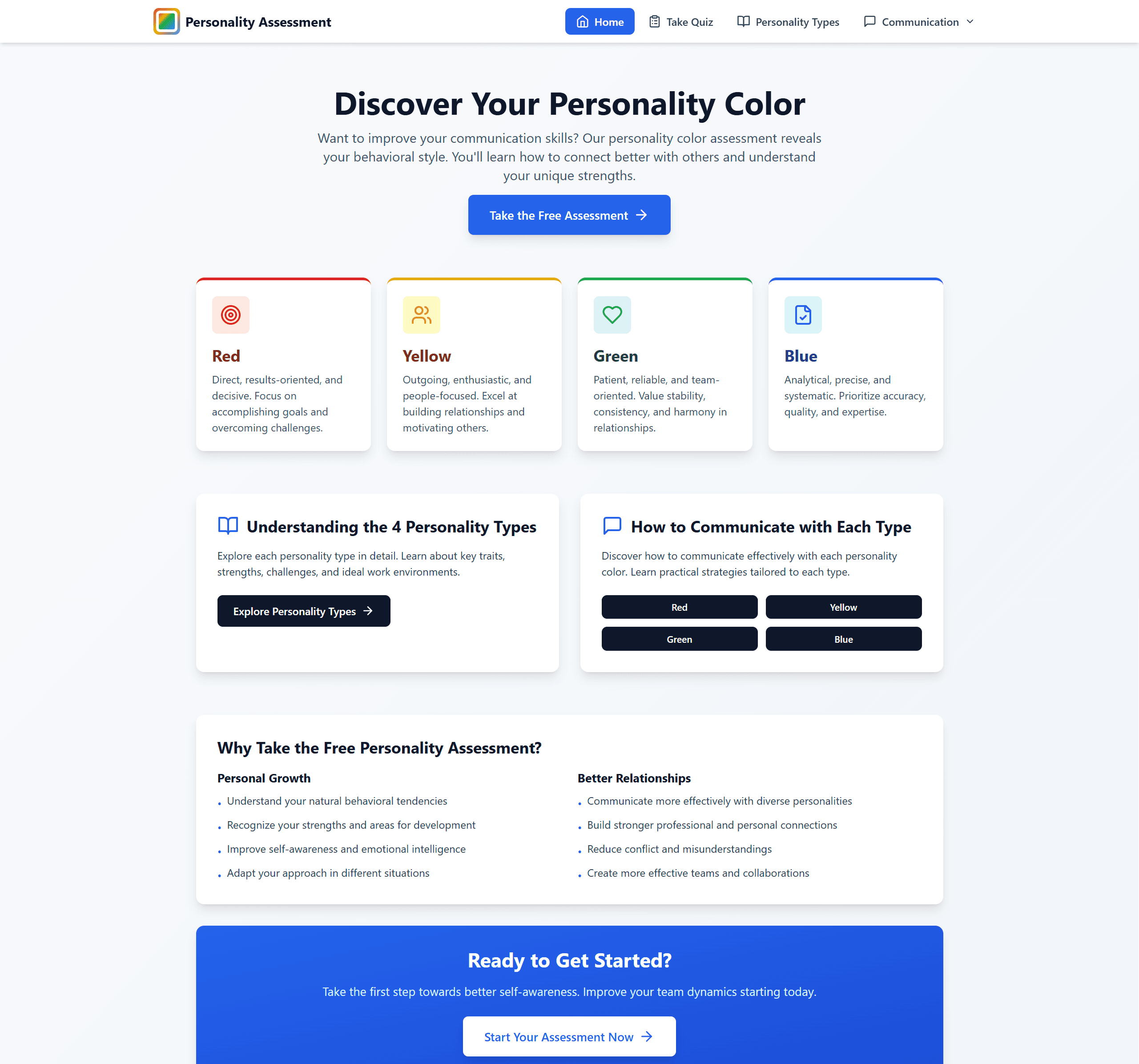
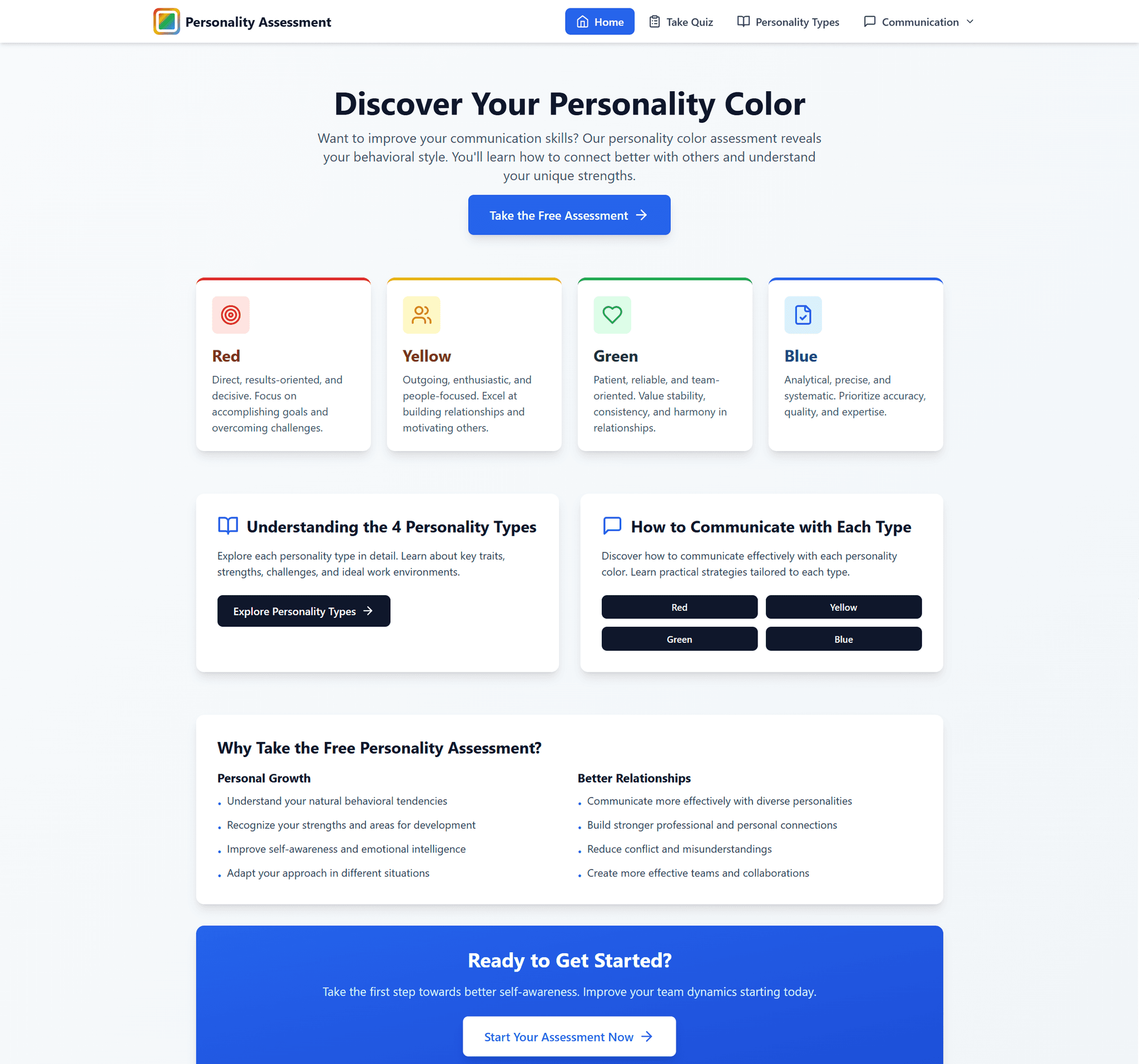
Color Type Assessment Homepage
Color Type Assessment
Turning book insights into interactive experience through engaging design
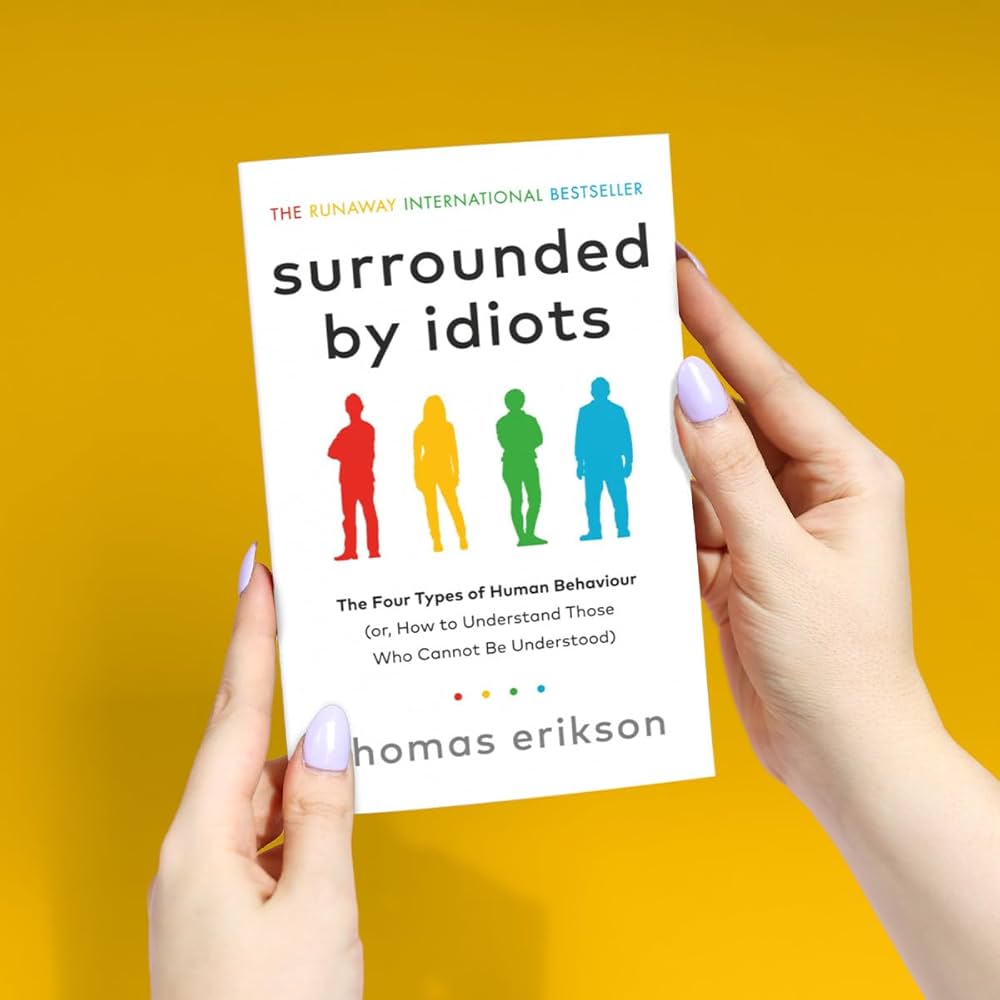
Usually, after finishing a great book, I create summary posters to capture the key ideas and share them with others. This time, inspired by Surrounded by Idiots by Thomas Erikson, I decided to try something different—I built a personality quiz website! The book offers a fascinating framework for understanding different communication styles and personality types through four color-coded profiles. It's helped me better understand myself and others, and I wanted to share that insight in a fun, interactive way.
My Role: As the creator, designer, and developer, I led the entire project from concept to deployment—transforming a 200+ page book framework into a 5-minute interactive assessment.
Key Approach:
User experience design focused on engagement over comprehensiveness
Iterative testing of answer selection mechanics (select all → select one → select two)
Privacy-first architecture with no user data storage
Rapid development using Bolt.new to focus on UX quality
Personal Project Impact: Shared on LinkedIn and internally at Bonterra, where colleagues found it useful for performance reviews and team collaboration. Generated meaningful conversations about communication styles.
Live Site: colortypeassessment.com
THE INSPIRATION
When a Book Framework Deserves a Better Format
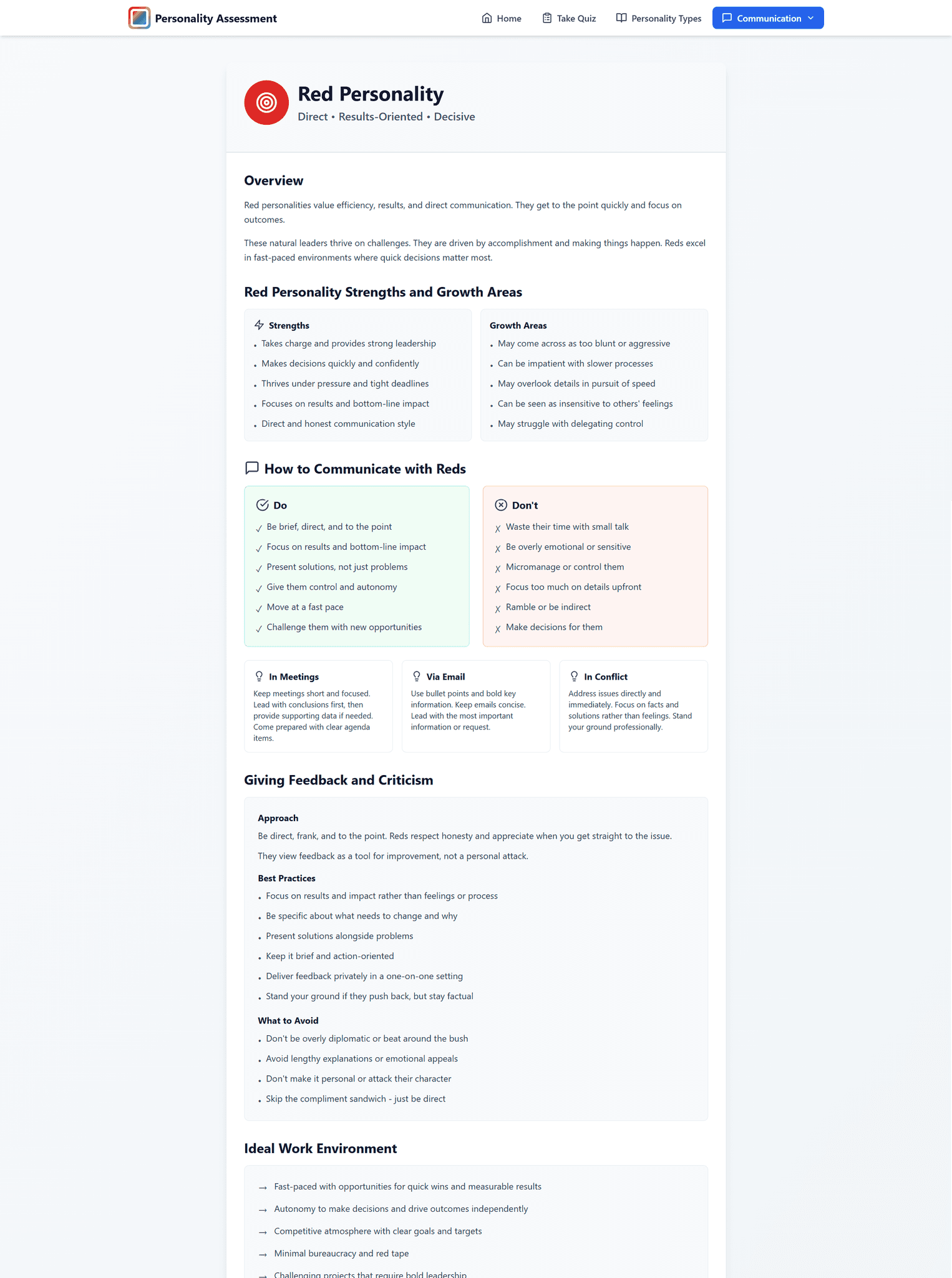
I've always created summary posters after finishing great books—distilling key ideas into shareable visuals. But Surrounded by Idiots felt different. The four-color personality framework (Red, Yellow, Green, Blue) was too valuable to keep static.
Why This Framework Matters
The book explains that most communication breakdowns happen because we assume others think like we do. Understanding the four personality types helps us recognize that people aren't difficult—they're just different.
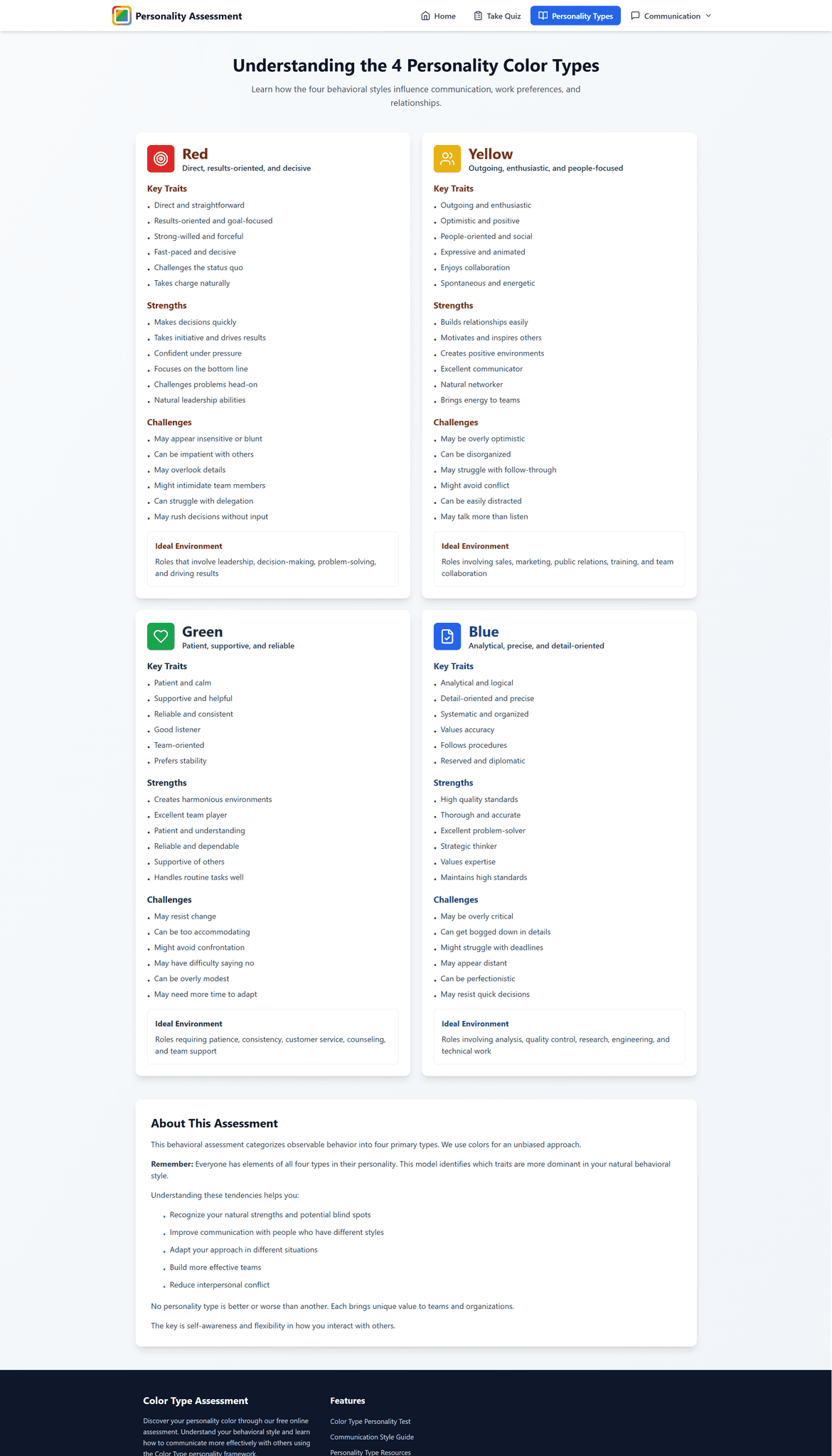
The Four Color Types:
Red - Dominant, decisive, results-focused
Yellow - Social, optimistic, creative
Green - Calm, supportive, steady
Blue - Analytical, precise, quality-focused
The Opportunity
Most people won't read a full book on communication styles, but they will take a personality quiz. I saw a chance to make these insights accessible through an interactive experience.
THE PROBLEM
Making Self-Reflection Feel Like Entertainment
The challenge wasn't just translating content—it was creating an experience people would actually complete and find valuable.
What Makes Personality Quizzes Work
Quick commitment (under 5 minutes)
Feels like play, not work
Results that spark "oh, that's me!" recognition
Shareable (so people can compare with friends)
What Makes Them Fail
Too many questions → abandonment
Generic results → "this could be anyone"
No practical value → "cool, now what?"
Obvious manipulation → loss of trust
My Design Principles
Keep it short (under 20 questions)\
Use specific scenarios, not vague traits
Show personality as a spectrum, not a box
Make results immediately useful
THE EXPERIENCE JOURNEY
Three Moments That Matter
The Hook
Get people to start without overthinking it
Clear promise: "Discover your communication style in 5 minutes"
Visual preview of the four colors
No email, no signup, no commitment
Just click and go
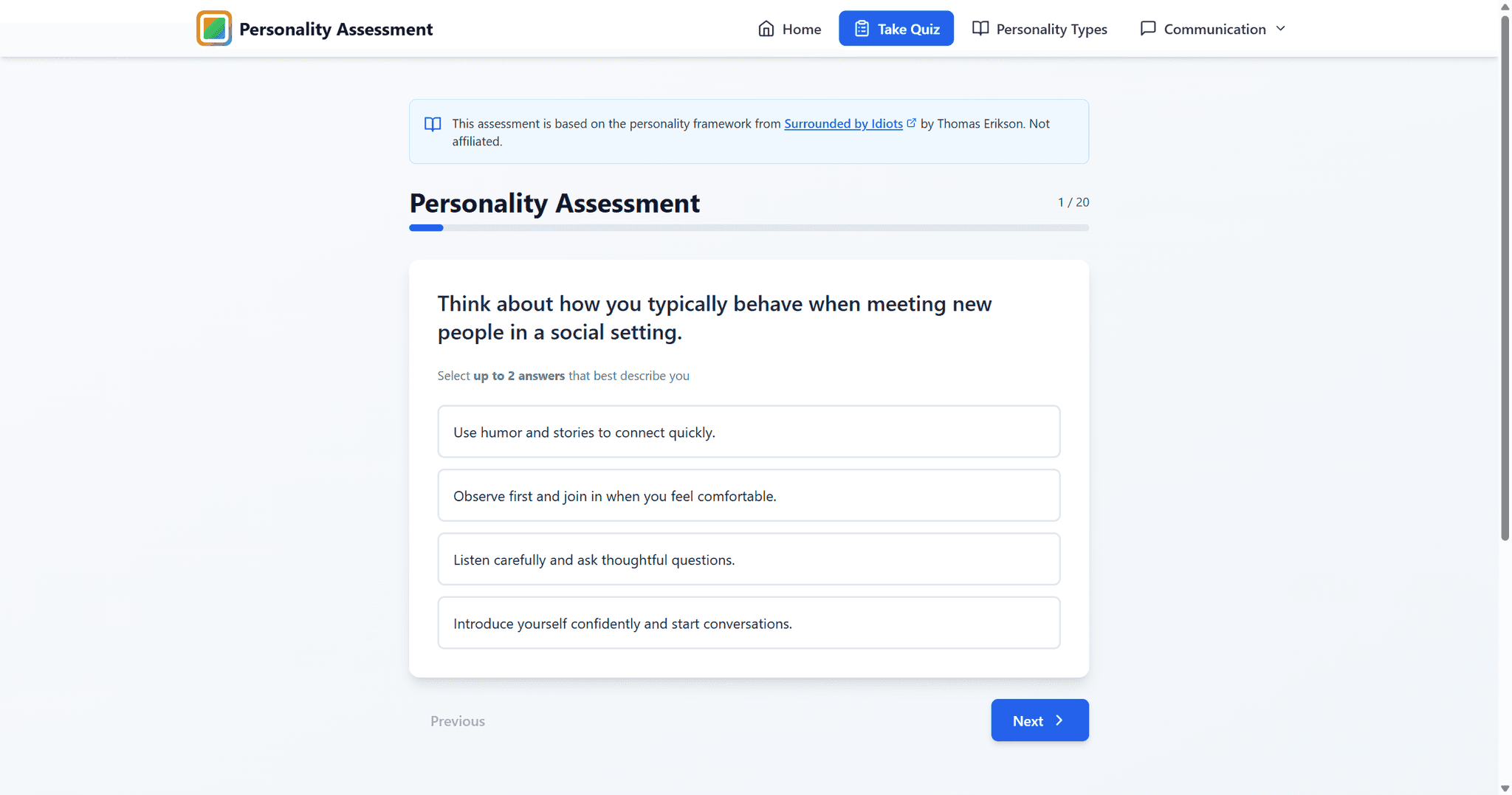
The Assessment
This is where the real design work happened. Early versions felt tedious. The breakthrough came from focusing on real scenarios instead of abstract personality statements:
Do: "When making decisions, I prefer to review data before trusting my gut"
Do NOT: "I am analytical and detail-oriented"
Do: "In social settings, I energize by meeting new people rather than deepening existing connections"
Do NOT: "I enjoy social interactions"
The difference? People can honestly answer scenario-based questions. Trait-based questions make them think "well, it depends..."
The Results
Instead of just "You're Blue!", I wanted people to leave with:
Recognition - "Yes, this is actually me"
Understanding - "This explains why I do that"
Action - "Here's how to use this insight"
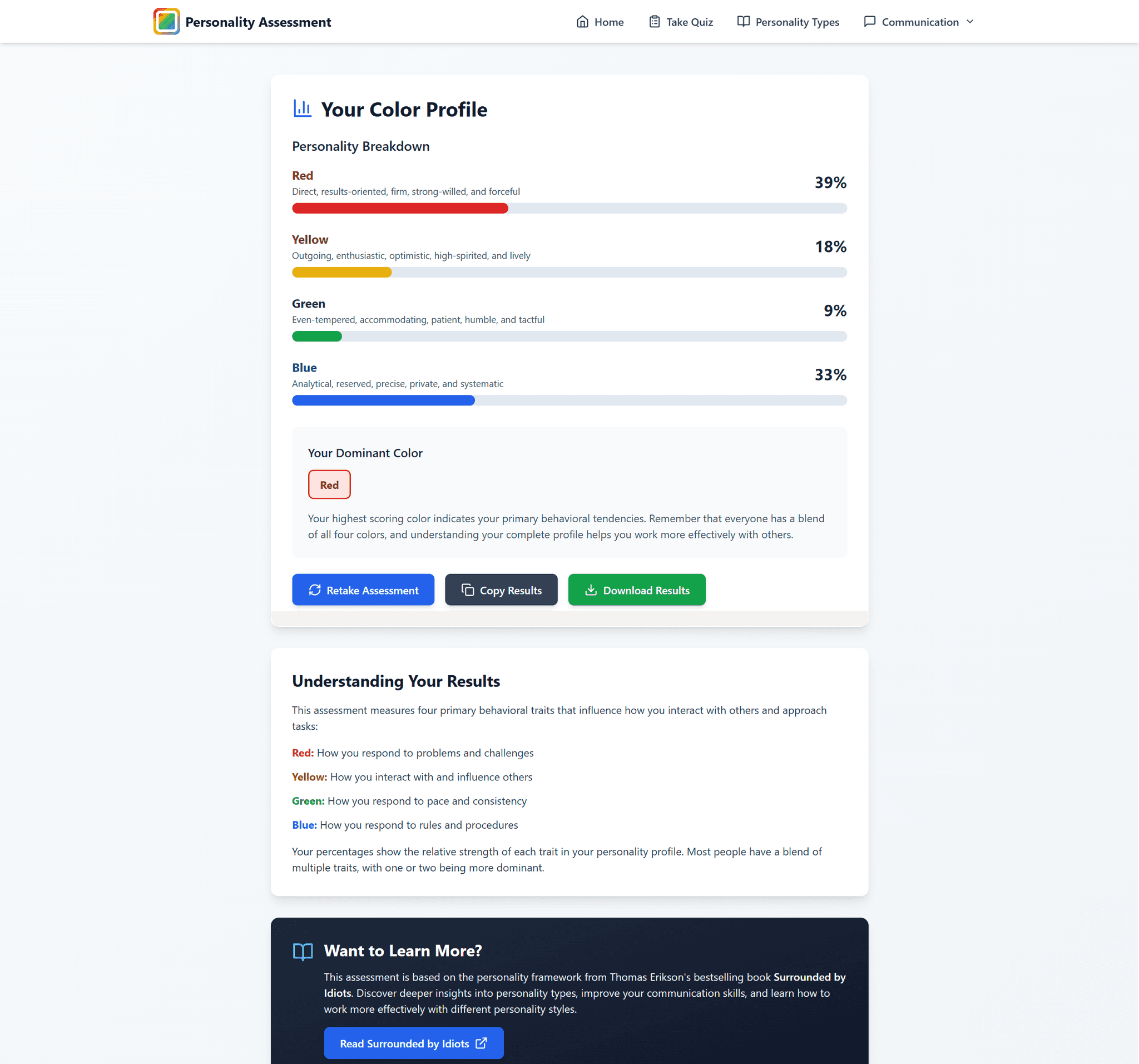
Results show:
Primary color with percentage breakdown (most people are a mix)
Specific strengths and communication preferences
Blind spots to be aware of
How to work effectively with each other type
DESIGN DECISIONS
Iterating the Answer Selection
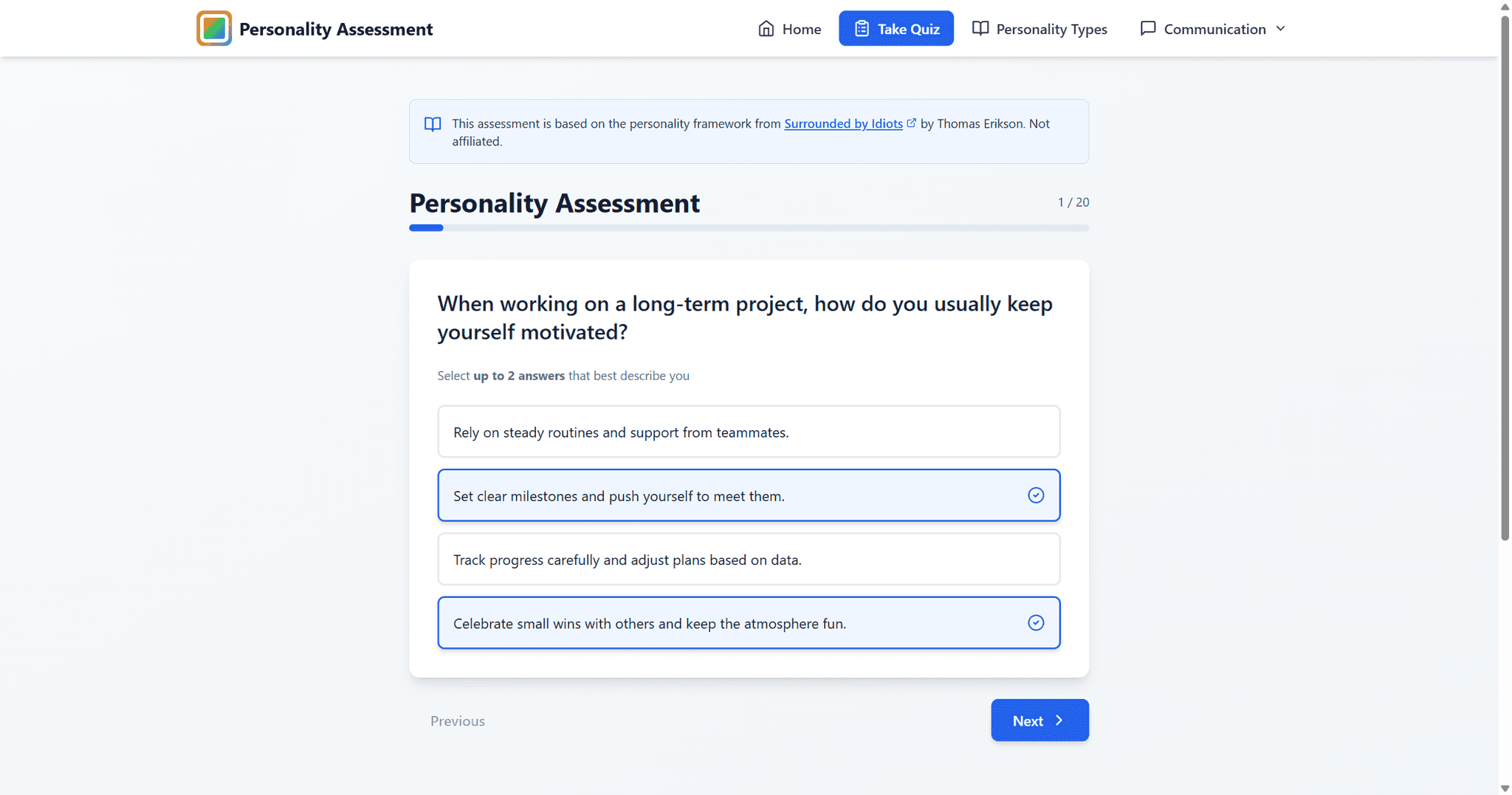
The biggest design challenge had nothing to do with aesthetics—it was about mechanics. How many answers should people be able to select per question?
Version 1: Select All That Apply
Seemed flexible, but results were muddy. When people selected 3-4 options per question, the algorithm couldn't determine a clear personality profile. Everyone ended up looking the same.
Version 2: Select Only One
Forced choices felt inauthentic. People would stare at questions thinking "I do both of these depending on the situation" and either abandon the quiz or pick randomly.
Version 3: Select Up to Two
This was the sweet spot. Why it worked:
Acknowledges that people are multifaceted
Still provides clear signal for scoring
Feels honest (people do relate to multiple approaches)
Harder to "game" than single selection
The User Feedback
After sharing on LinkedIn and at Bonterra, colleagues mentioned the assessment was "easy to game if you wanted a certain result." The color associations were somewhat transparent.
My first instinct: make the questions more obscure to hide the pattern.
But then I realized: The assessment isn't trying to catch people lying. It's a tool for self-reflection. People who game it only cheat themselves. Those seeking genuine insight will engage authentically.
The slight transparency actually became a feature—it helps people understand the framework while taking the assessment, making results more meaningful and memorable.
BUILDING WITH BOLT.NEW
Choosing Speed Over Custom Build
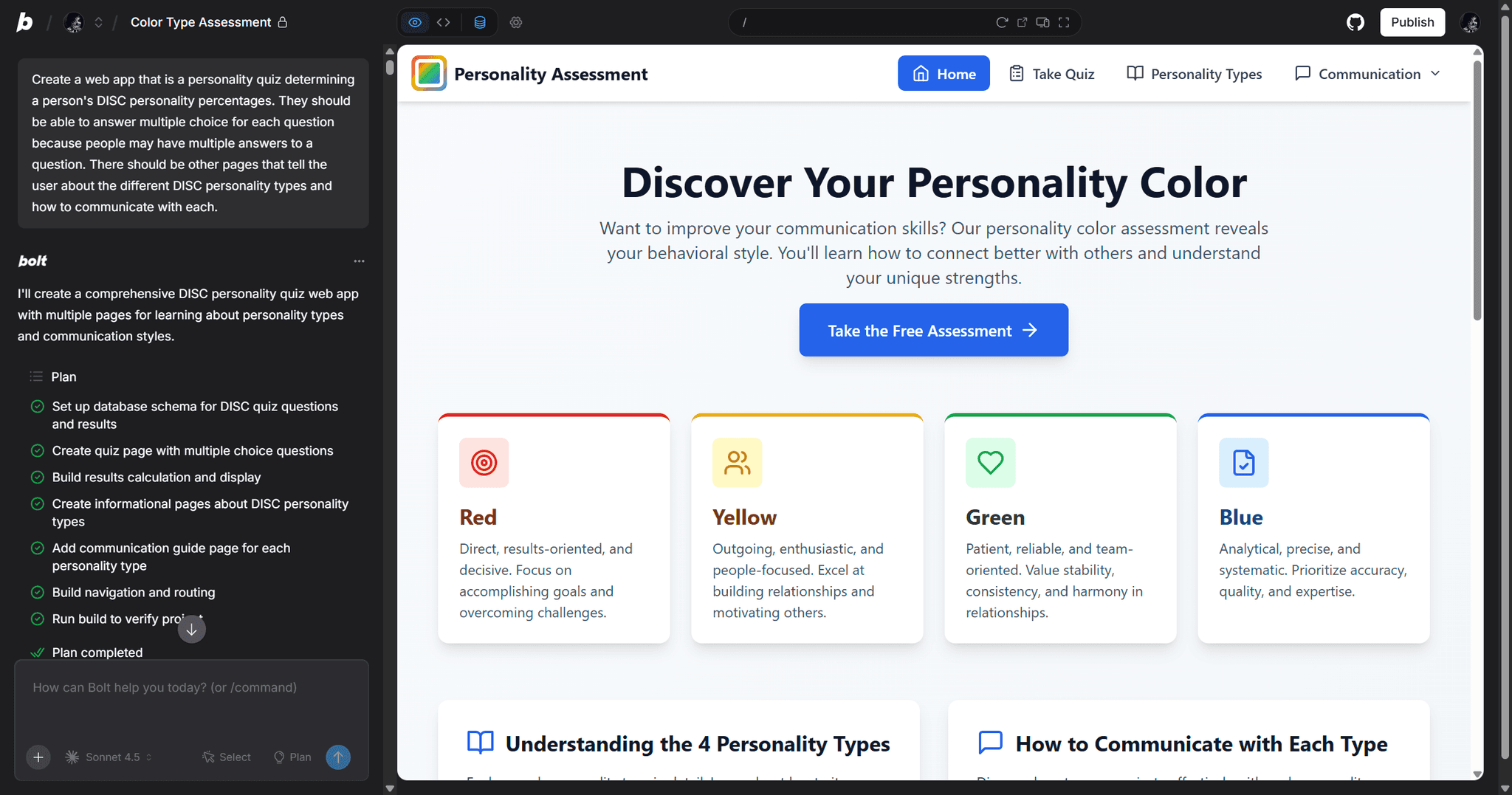
I could have built this from scratch. Full custom React app, my own backend, custom database schema. But that would have taken weeks, and I'd still be coding instead of getting user feedback.
Instead, I used Bolt.new:
Rapid prototyping and deployment
Built-in database for questions/answers
Let me focus on UX instead of infrastructure
Client-side scoring maintains user privacy
Privacy-First Design:
No user data collected or stored
No account creation required
All scoring happens in the browser
Anonymous from start to finish
This wasn't a compromise—it was a strategic choice. The constraint forced me to focus on what mattered: the user experience.
RETROSPECTIVE
Key Learnings
After sharing the assessment on LinkedIn and internally at Bonterra, the response surprised me:
Practical Application: Colleagues used it for upcoming performance reviews to better understand their communication preferences
Team Building: Multiple teams took it together to improve collaboration
Conversation Starter: Generated meaningful discussions about work styles and communication approaches
Positive Reception: People found it genuinely useful, not just entertaining
Design Lessons
Interactive > Informational: The same framework that requires hours to absorb from a book takes 5 minutes as an interactive assessment and feels more personal. Sometimes the best way to share knowledge isn't comprehensive—it's engaging.
Constraints Drive Focus: Using Bolt.new instead of building from scratch forced me to focus on user experience over technical complexity. The project is better for it.
"Flaws" Aren't Always Problems: When users said the quiz was "easy to game," my instinct was to fix it. But that would have made questions confusing without adding value. The transparency helps people learn the framework, which is the actual goal.
Iteration Reveals Truth: Testing three different answer selection approaches revealed that the "obvious" solution (select one) and the "flexible" solution (select all) both failed. The middle ground worked best.
Real-World Testing Matters: Building in isolation would have left the answer selection at "select one" and completion rates would have suffered. Feedback from actual users at Bonterra led to the breakthrough iteration.
Reflection
This project proved that complex frameworks become accessible through thoughtful interaction design. There are dozens of valuable books and frameworks that could benefit from the same treatment—transforming information into experience.
Visit the Platform
Live Site: colortypeassessment.com
Inspired By: Surrounded by Idiots by Thomas Erikson
Built With: React, JavaScript, Bolt.new

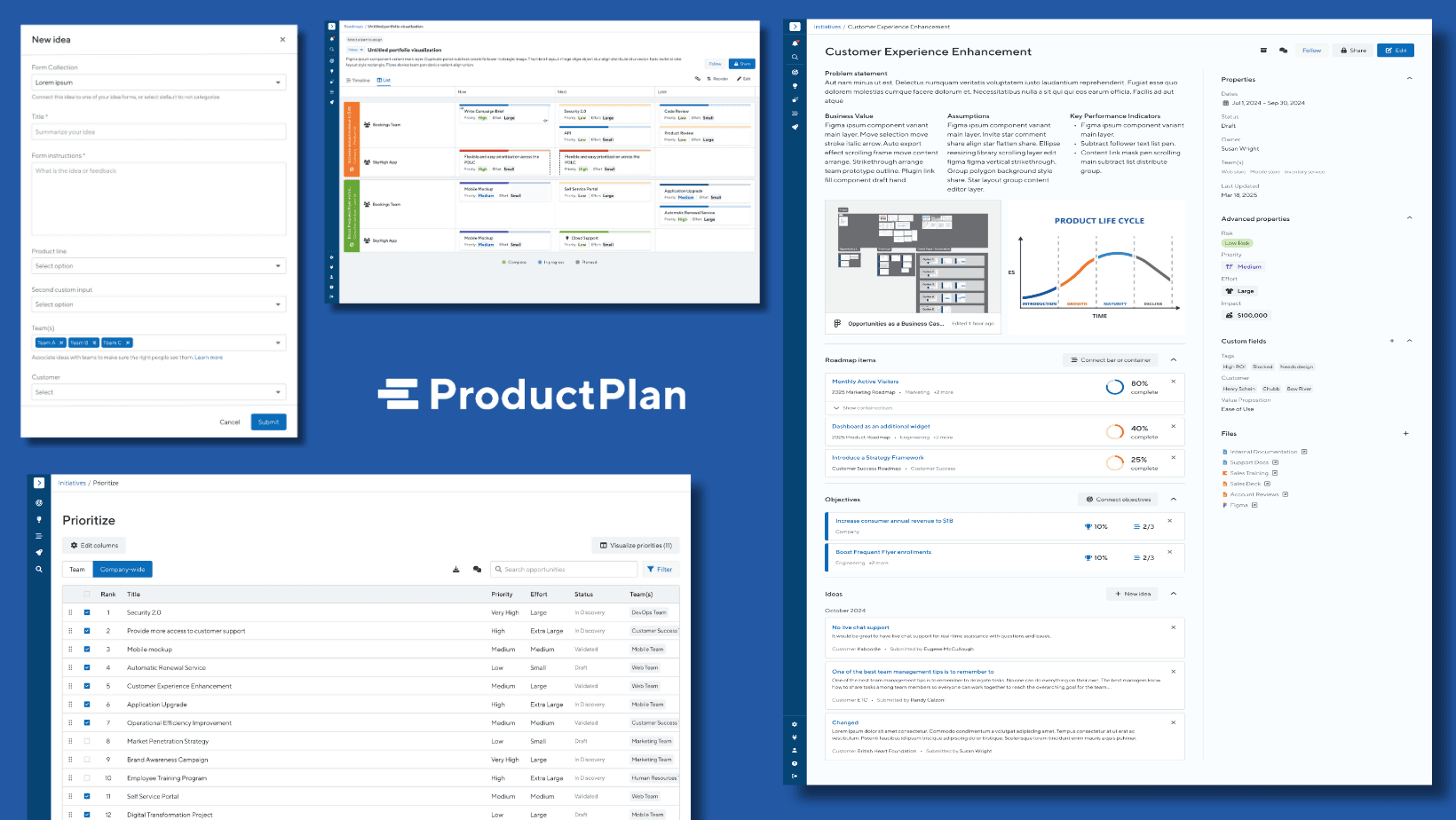
Bridging the Gap in Strategic Planning with ProductPlan
Driving strategic alignment with 54% month to month retention boost with portfolio visualizations

Curriculum Management for School and District Admins
Increasing Daily Active Usage by 15% through optimization of curriculum management
Let's build something worth reading about.
Thank you for your interest in my work. Let’s connect!