
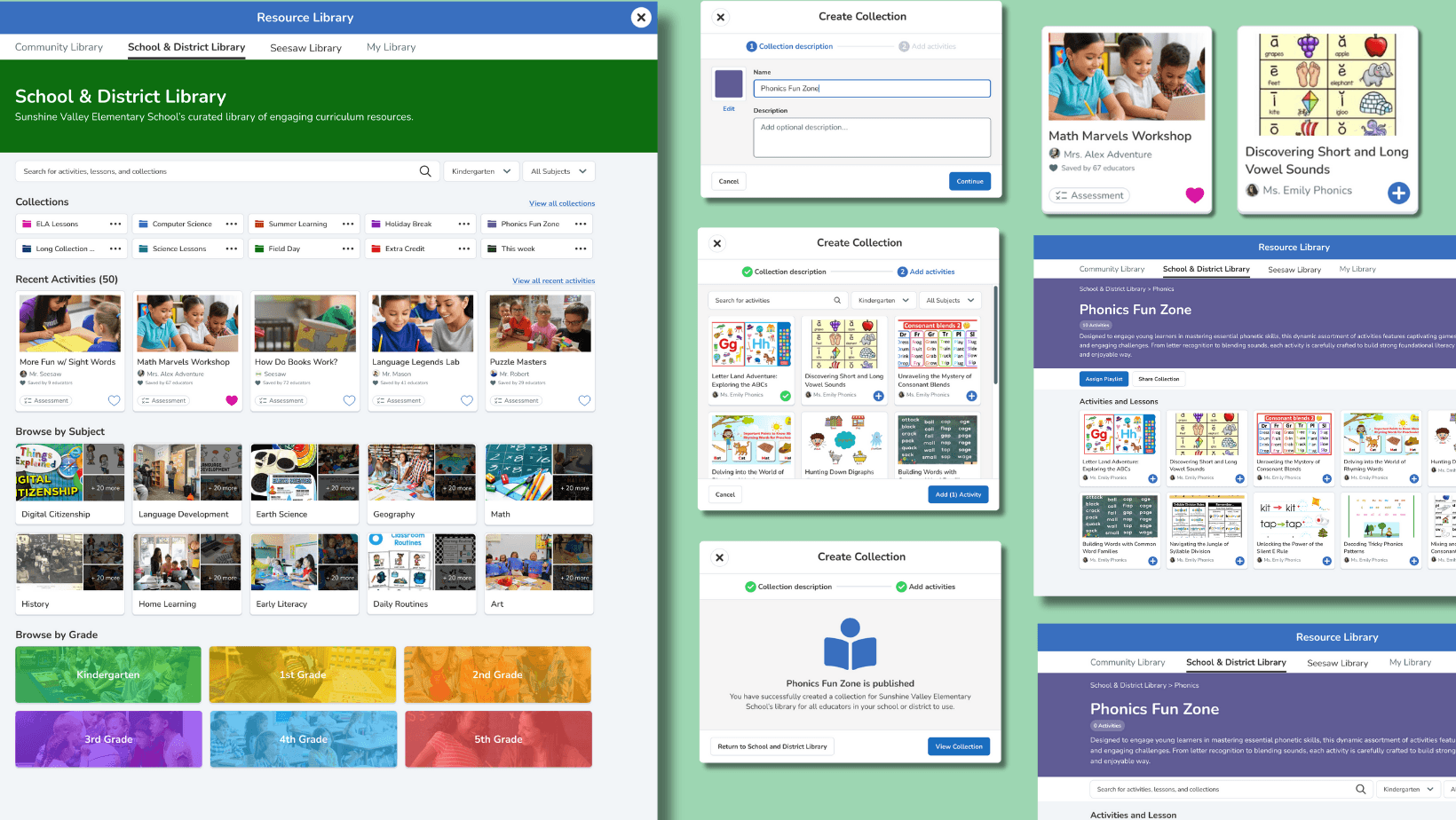
Seesaw's School and District Library page design and components
Seesaw Learning
Increasing daily active usage by 15% by giving administrators control of their curriculum library
Seesaw's school and district administrators had no real tools to organize and distribute curriculum to teachers. The folder system was rigid, bulk actions didn't exist, and permissions were too blunt to be useful. I led research, mapped the problem space with the PM, designed three implementation options with engineers, and shipped an MVP that focused on the two highest-impact problems first. Daily active usage among admins rose 15% and satisfaction jumped 50%.
My Role: As Product Designer, I led a comprehensive redesign that required balancing ambitious user needs with significant legacy technology constraints. My approach combined systematic user research with technical feasibility analysis, working closely with curriculum experts, engineering, and product teams to create solutions that were both user-centered and technically realistic.
Approach:
Systematic effort-level analysis to balance user value with technical complexity
Cross-functional collaboration with curriculum specialists and engineering teams
User-centered design process with iterative validation and testing
Timeline
4 months
Role
Product Designer
Team
1x Product Designer
1x Product Manager
5x Full Stack Eng
Impact
15% Increase in DAU
50% increase in user satisfaction among admins upon release of the MVP
THE PROBLEM
Administrators were managing curriculum with no real tools
Seesaw's platform was built around student engagement and teacher activities. But as the platform grew into schools and districts, a gap emerged: administrators needed to curate and distribute curriculum at scale, and the tools weren't there.
The library folder system was essentially flat. Admins couldn't nest folders, couldn't reorder content, and had to add lessons one at a time. When they wanted to distribute a set of resources to teachers, there was no bulk action to do it. And because permissions were all-or-nothing, they couldn't give different teachers different levels of access.
| "Admins are putting items in the district library but don't have a way to organize them so they can easily distribute lessons across teachers." — Problem area map, from admin interviews
The result was frustrated administrators, underused libraries, and teachers missing curriculum that was technically available but practically impossible to find.
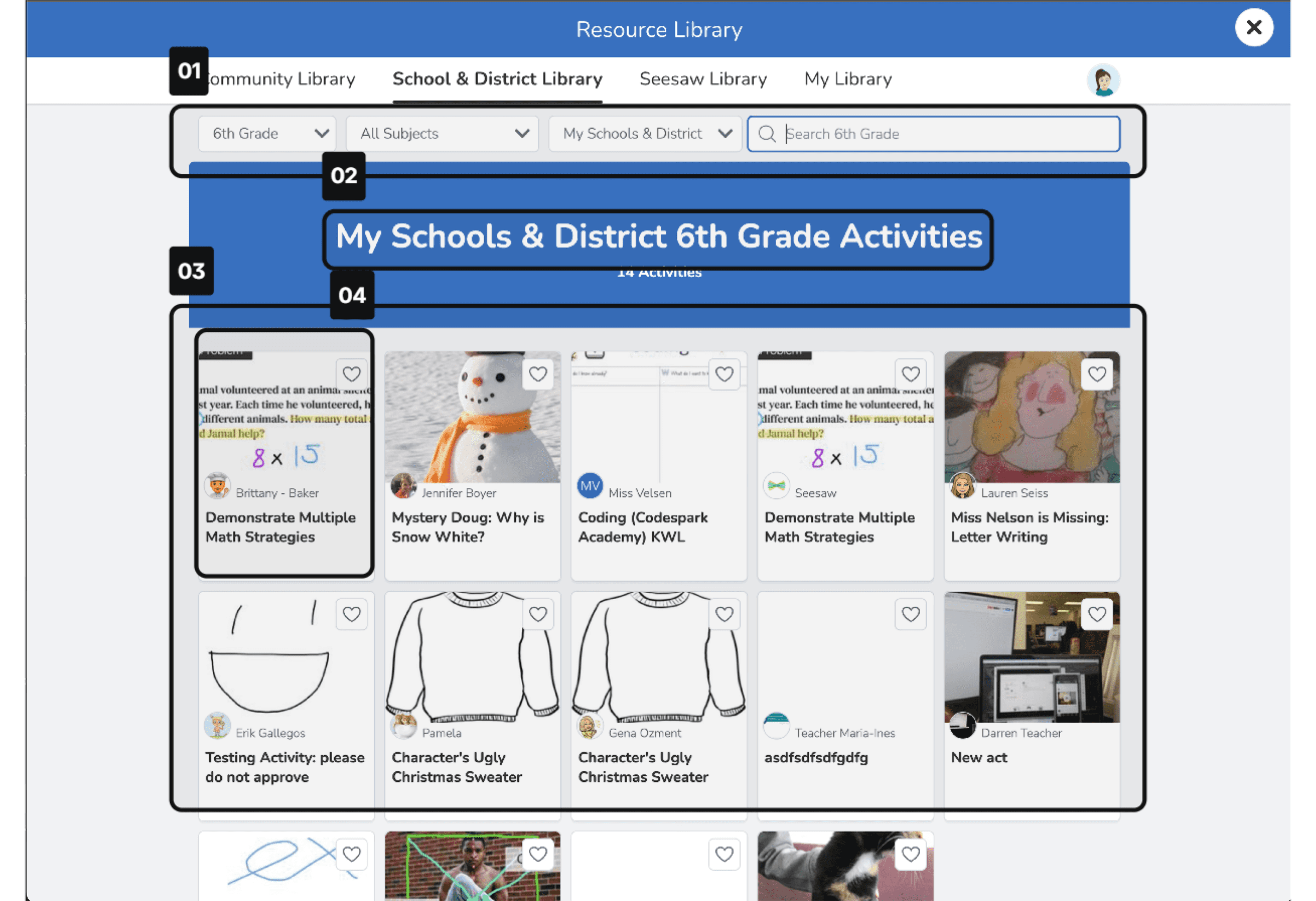
Legacy school & district library
01
Limited browsing capabilities - no sorting or grouping functionality available
02
No permissions structure or admin controls to easily distribute lessons to teachers
03
No organizational structure to the lessons and activities making it hard to find a curriculum
04
No metadata on the type of lesson or activity, usage rates, or otherwise
RESEARCH
What administrators actually needed
I started with interviews and surveys with a small group of school and district administrators to understand how they were working around the system's limitations. I also built empathy maps and personas for three user types — district administrators, school administrators, and teachers — to keep the different levels of access and need visible throughout the project.
A competitive analysis of similar platforms confirmed that nested folders, bulk actions, and granular permissions were table stakes in the market. Seesaw was behind.
Four themes came up consistently across all the research
Admins needed a way to group and organize lessons — not just dump everything into one flat folder
Bulk actions were the most requested workflow improvement — adding lessons one at a time was the single biggest time drain
Permission levels mattered — some teachers should be able to edit, others should only view
Quality control was a concern — admins wanted to approve what teachers shared into the district library before it appeared
DESIGN DECISION 01
Deciding what to build first
In a working session with the PM, we mapped all four problem areas against two axes: user impact from research and technical feasibility from engineering. With a four-month timeline and a legacy tech stack, we couldn't build everything at once.
The prioritization came out clearly:
Problem
Decision
Reasoning
Nested folders
MVP
Highest user impact, feasible within existing architecture
Bulk Actions
MVP
Most requested workflow improvement, manageable complexity
Permissions
Phase 2
Important but more complex — permission system needed more engineering scoping
Approving Activities
Phase 2
New capability requiring significant architecture work, not feasible in timeline
DESIGN DECISION 02
Letting engineering choose the implementation level
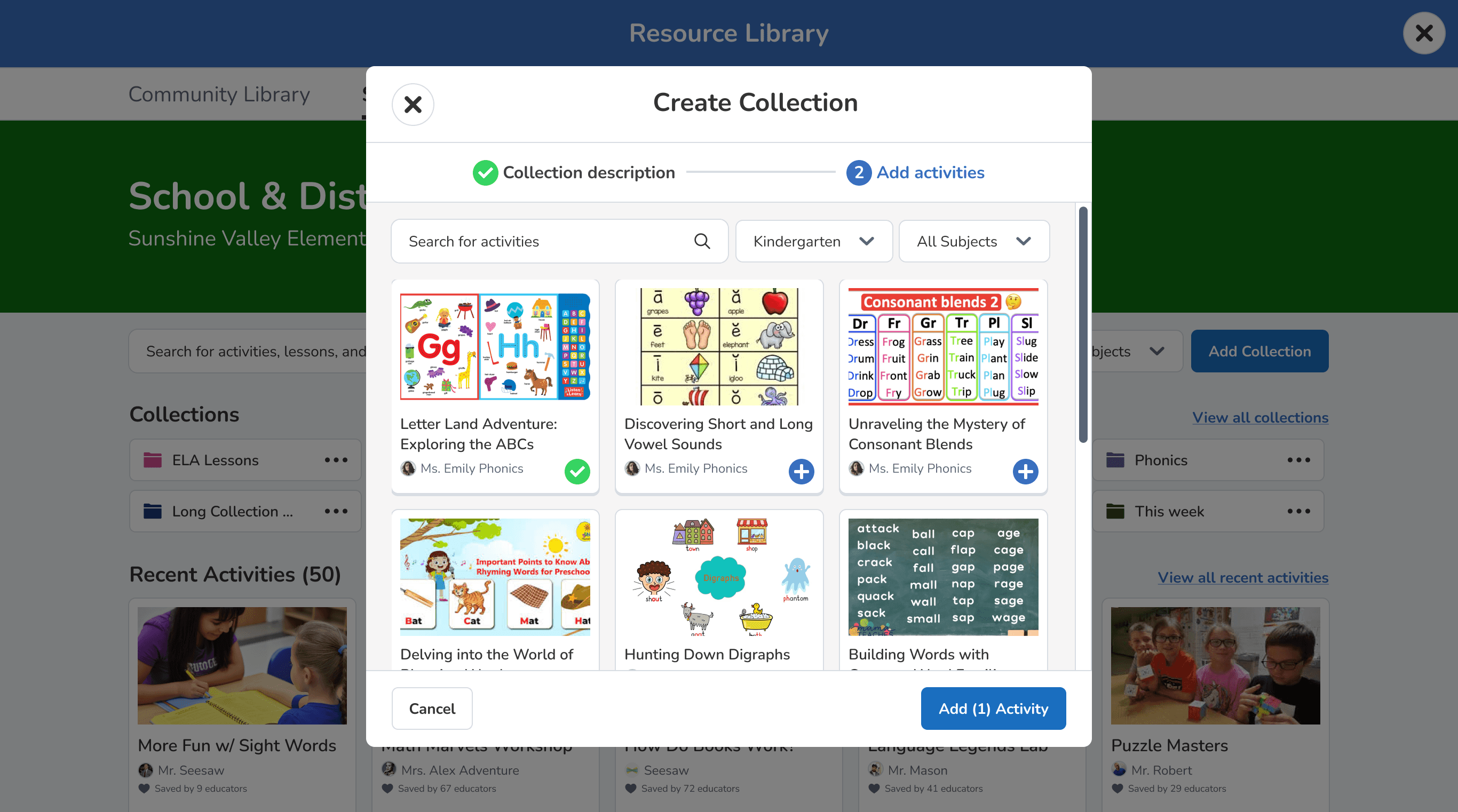
Once the scope was set, I designed three versions of the collection creation flow at different levels of implementation complexity. Rather than advocating for one upfront, I brought all three to a working session with the engineering team and let them weigh in on what was actually buildable.
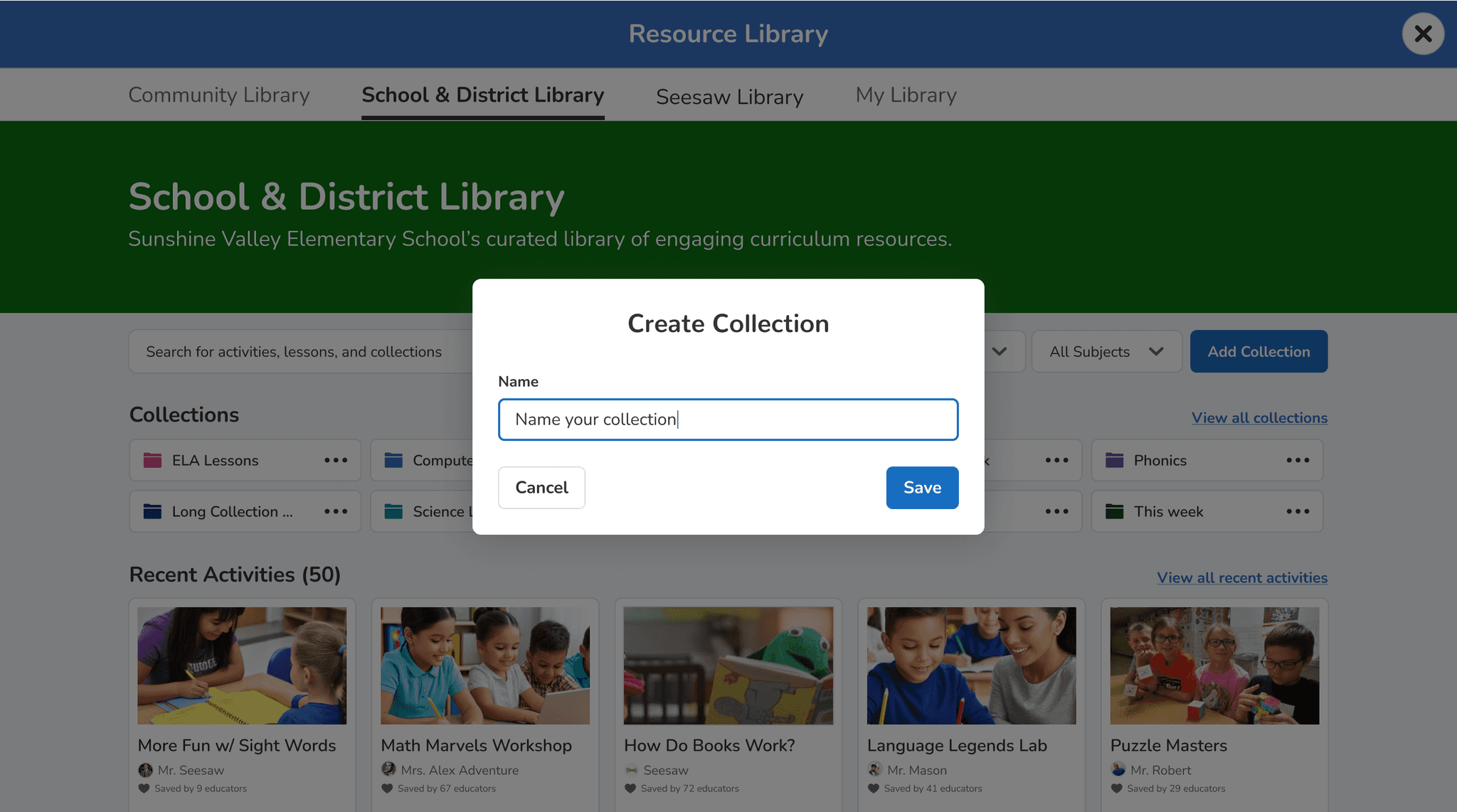
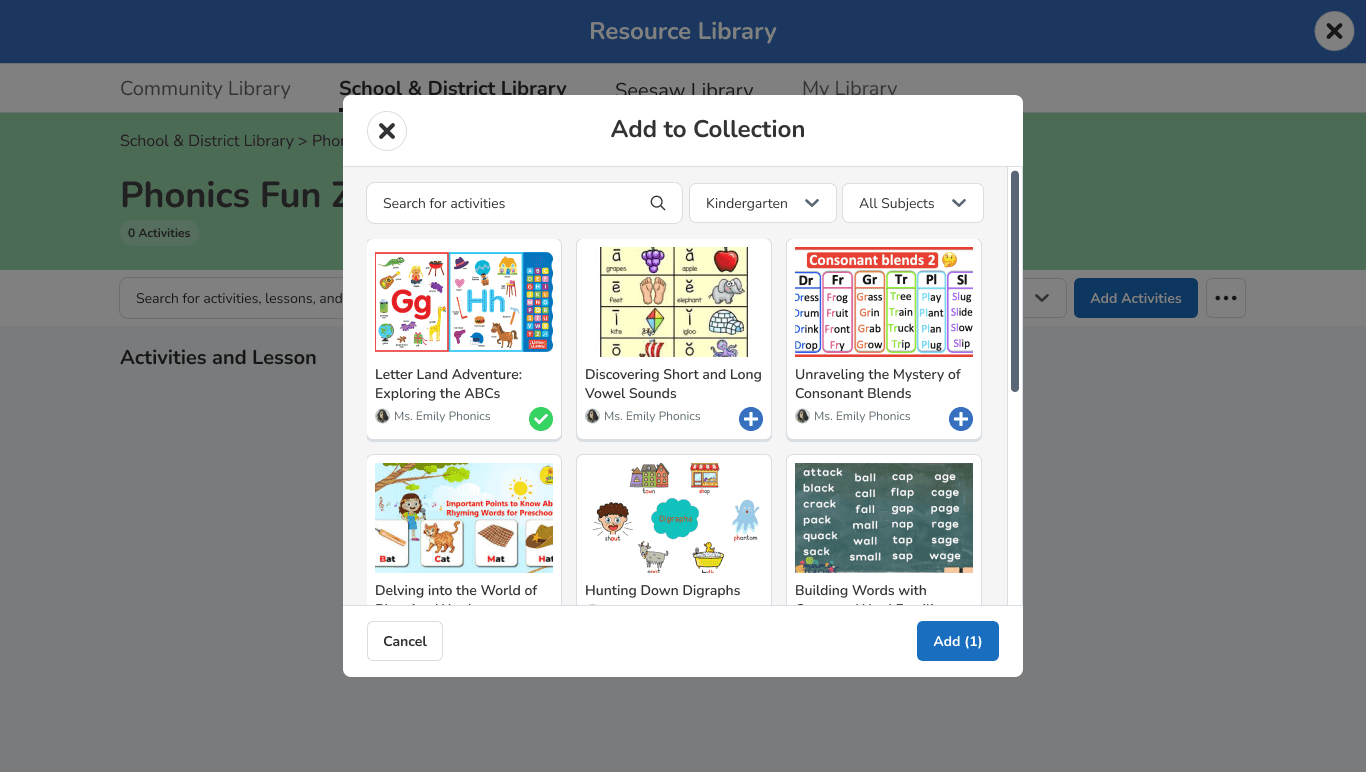
Bare bones
Name the collection, set a color, land on an empty page. Fastest to ship but no guidance — users had to figure out next steps themselves.
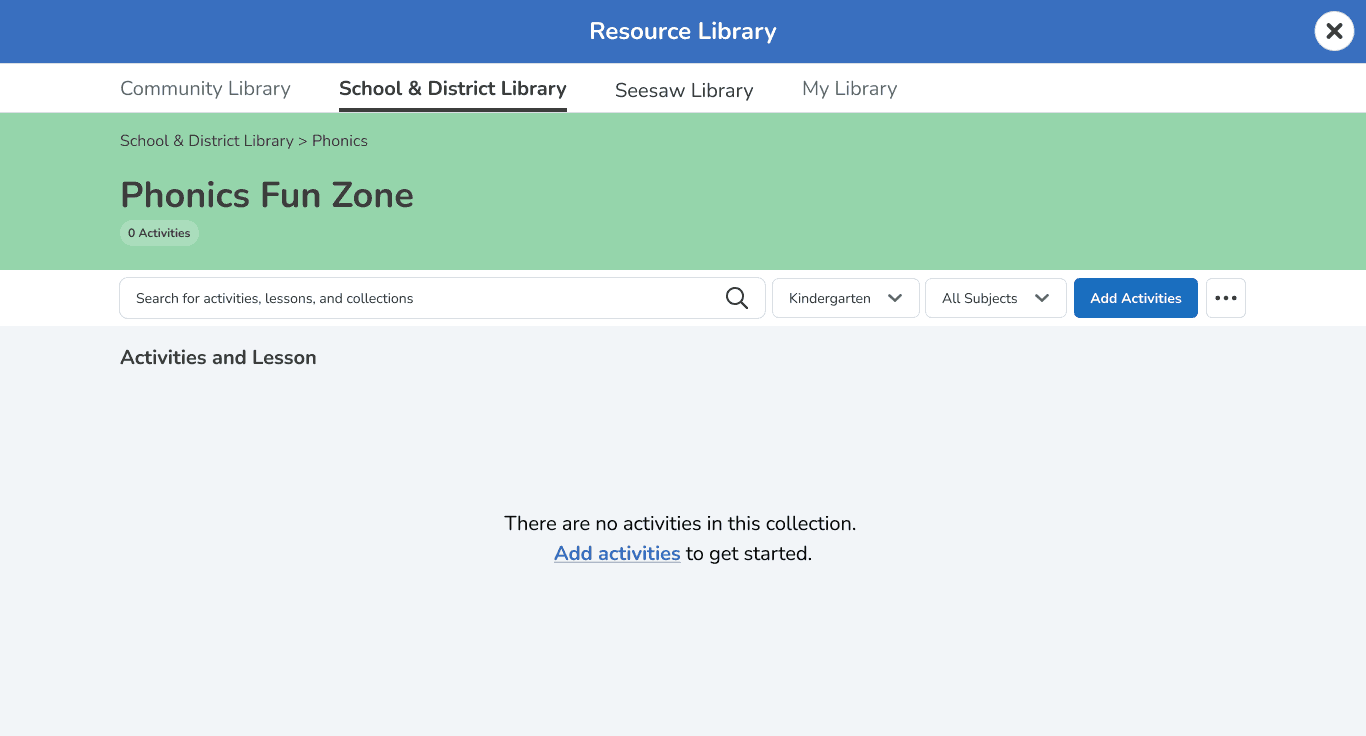
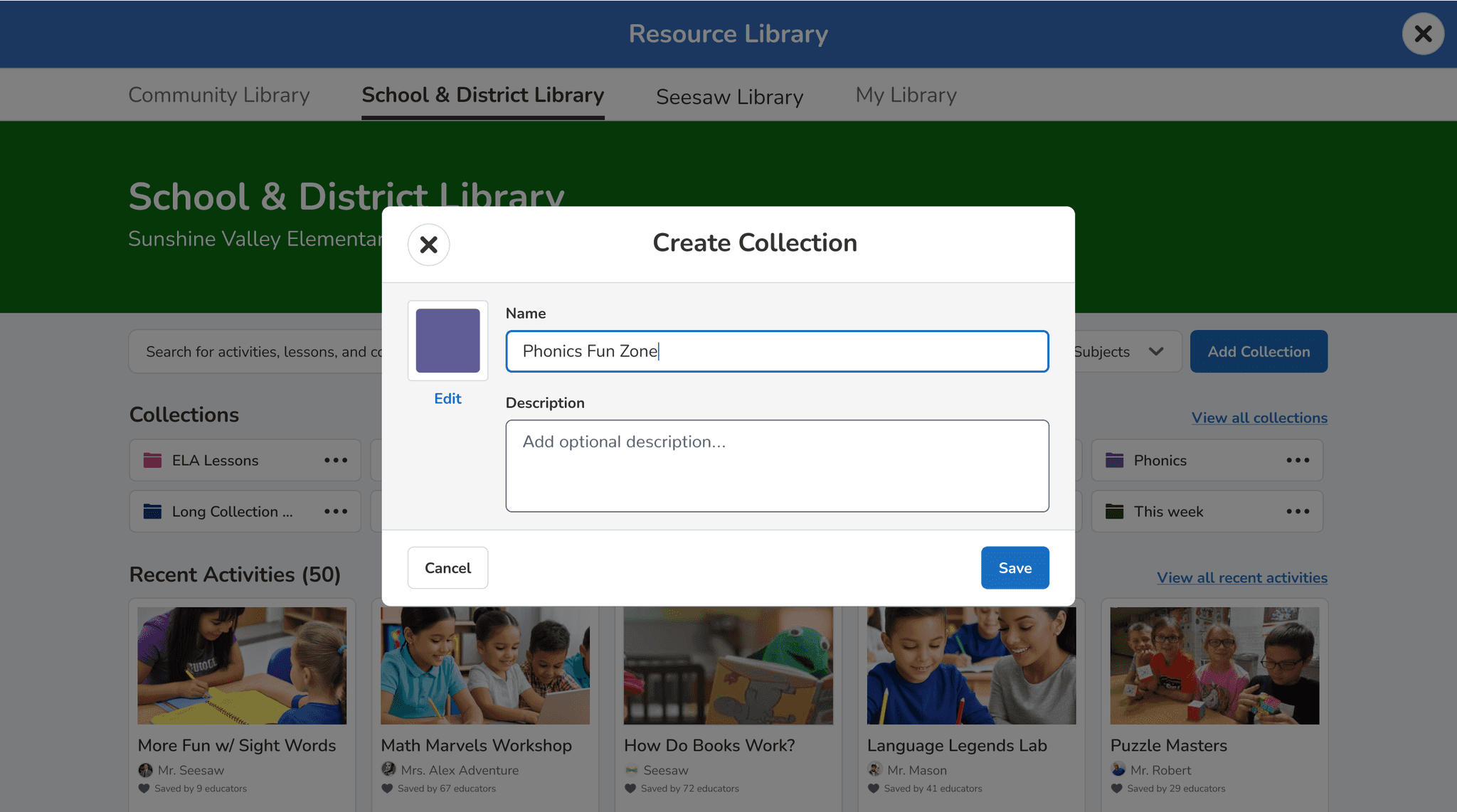
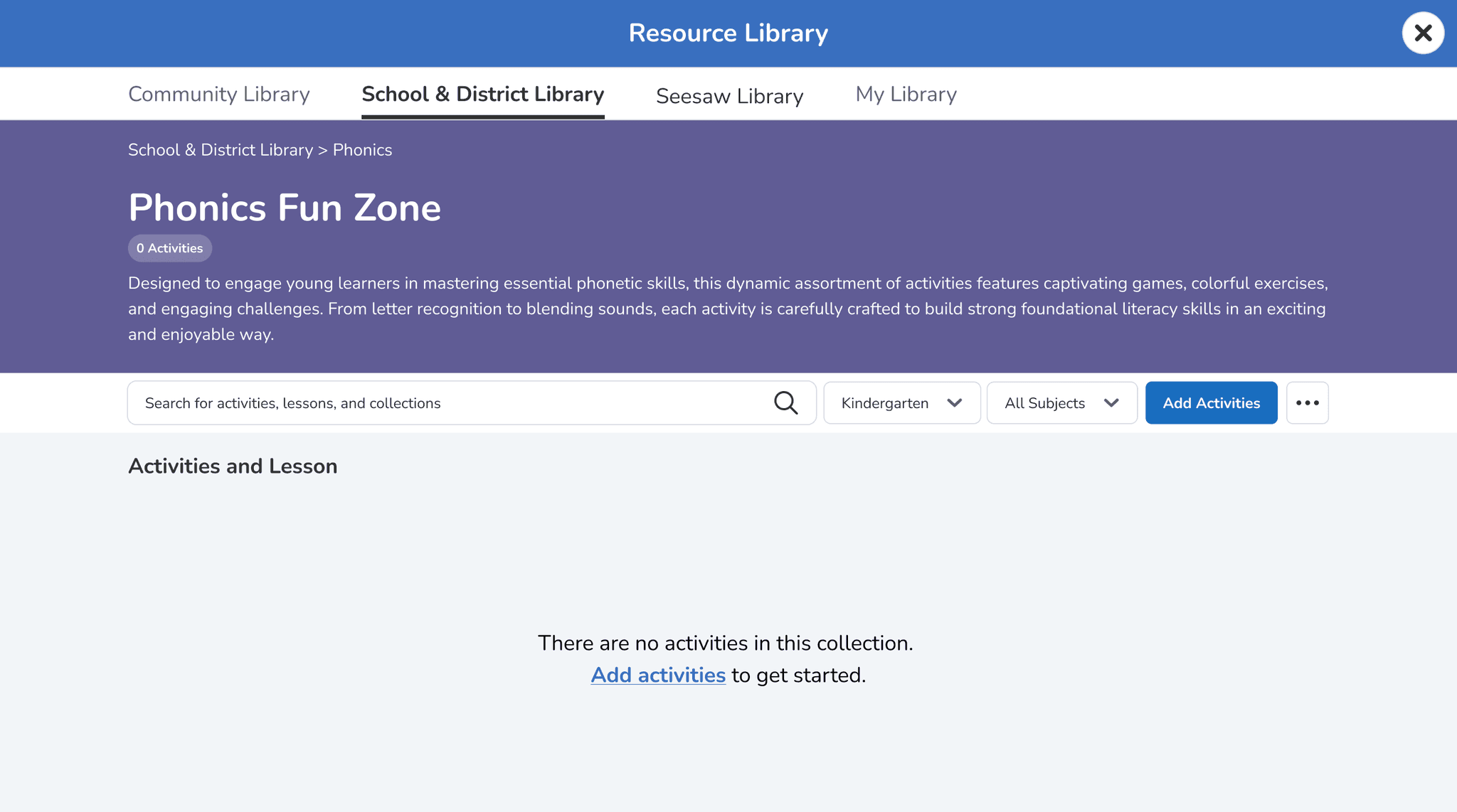
Adding details
Create the collection with basic details, then land on the collection page with a clear prompt to add activities. Balanced guidance with development feasibility.
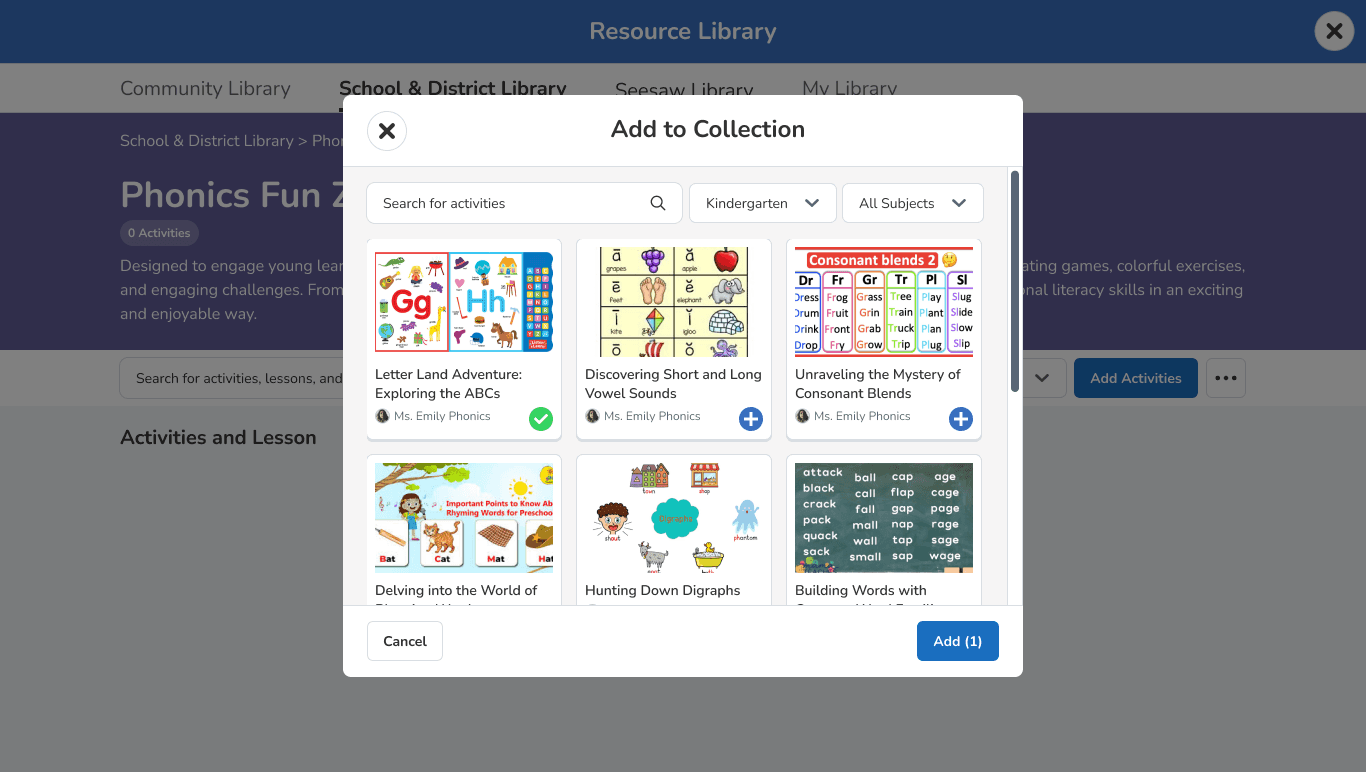
Stepped modal
Walk users through the entire setup in one guided modal — name, details, and activities before entering the page. Most intuitive, but too complex for the existing architecture within our timeline.
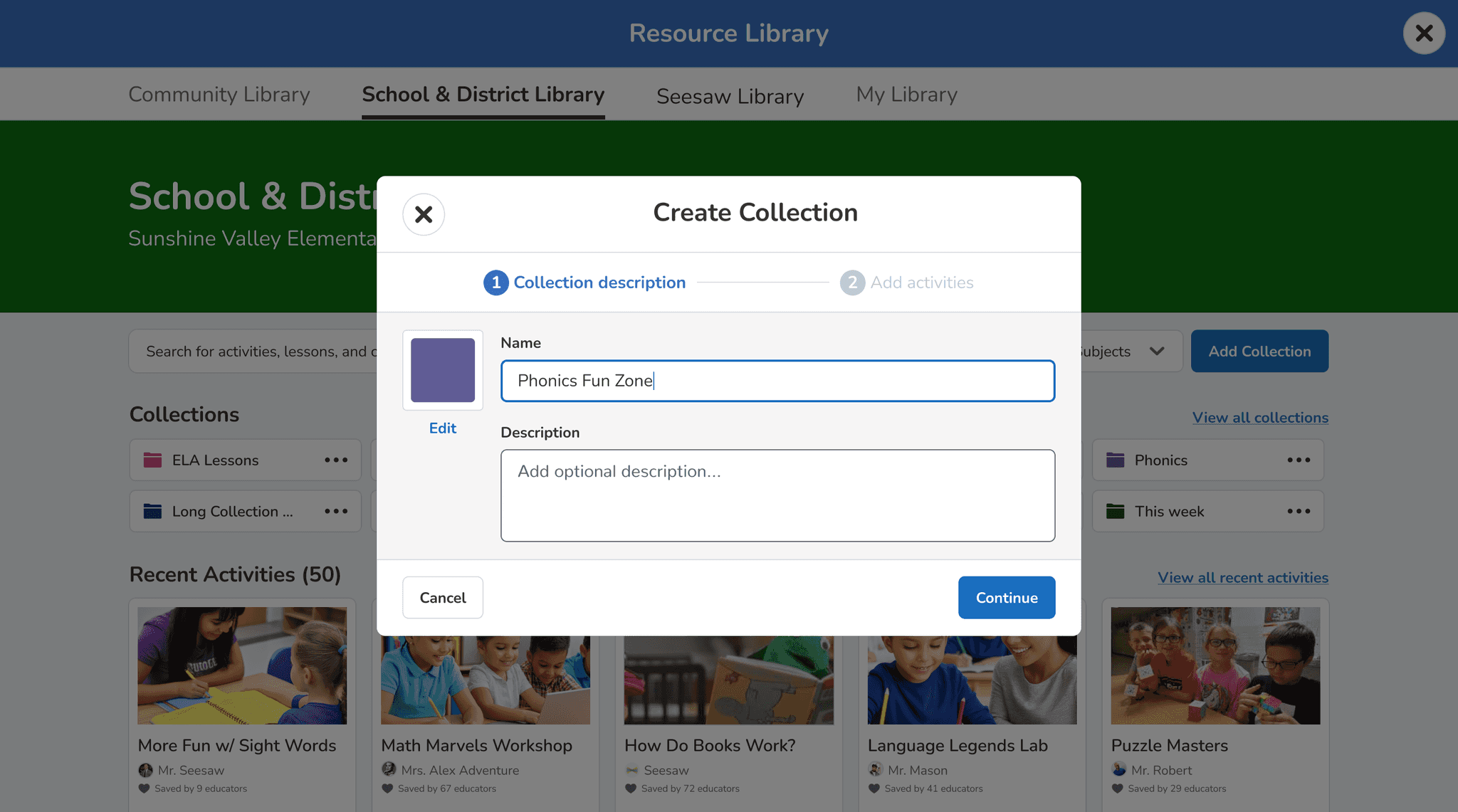
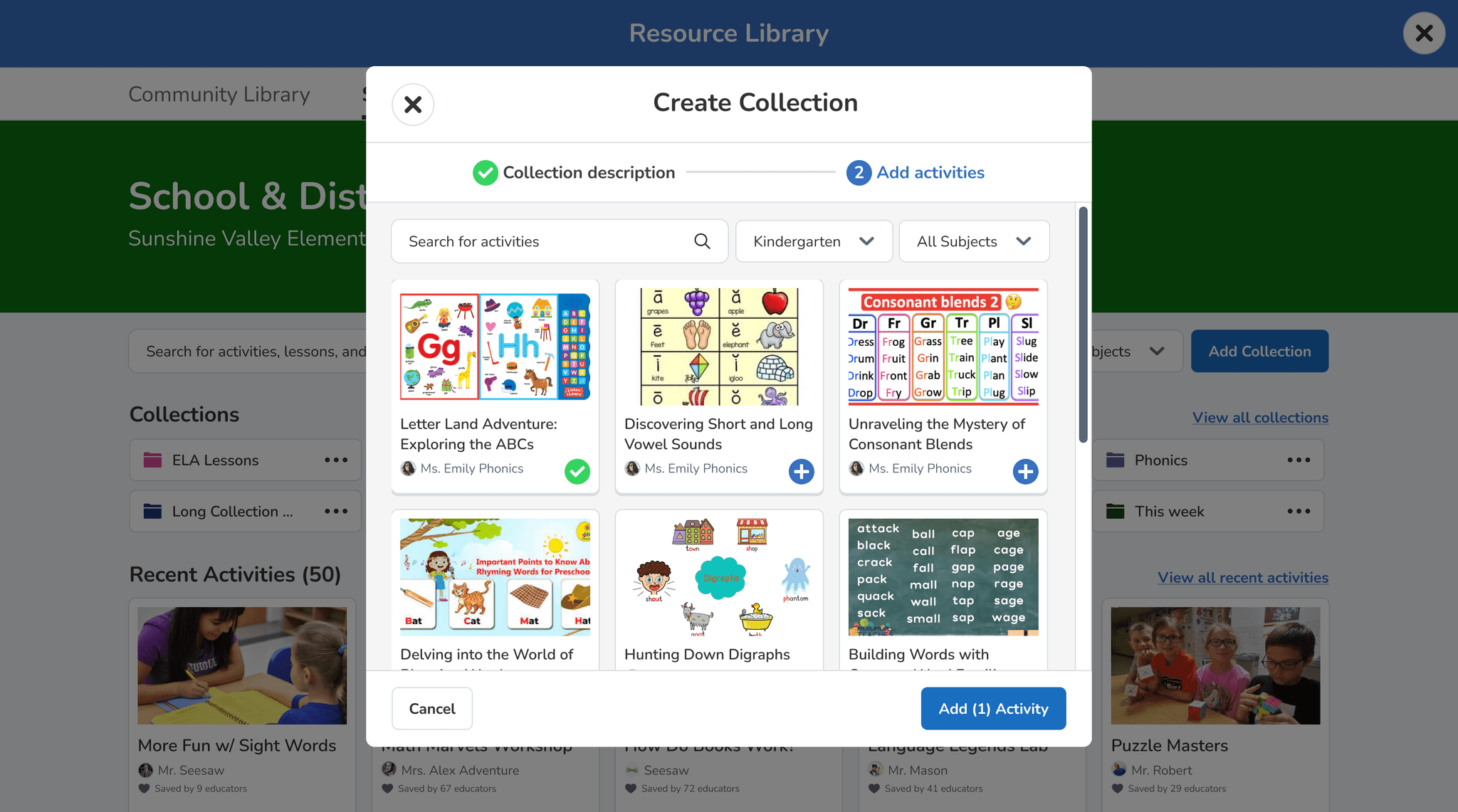
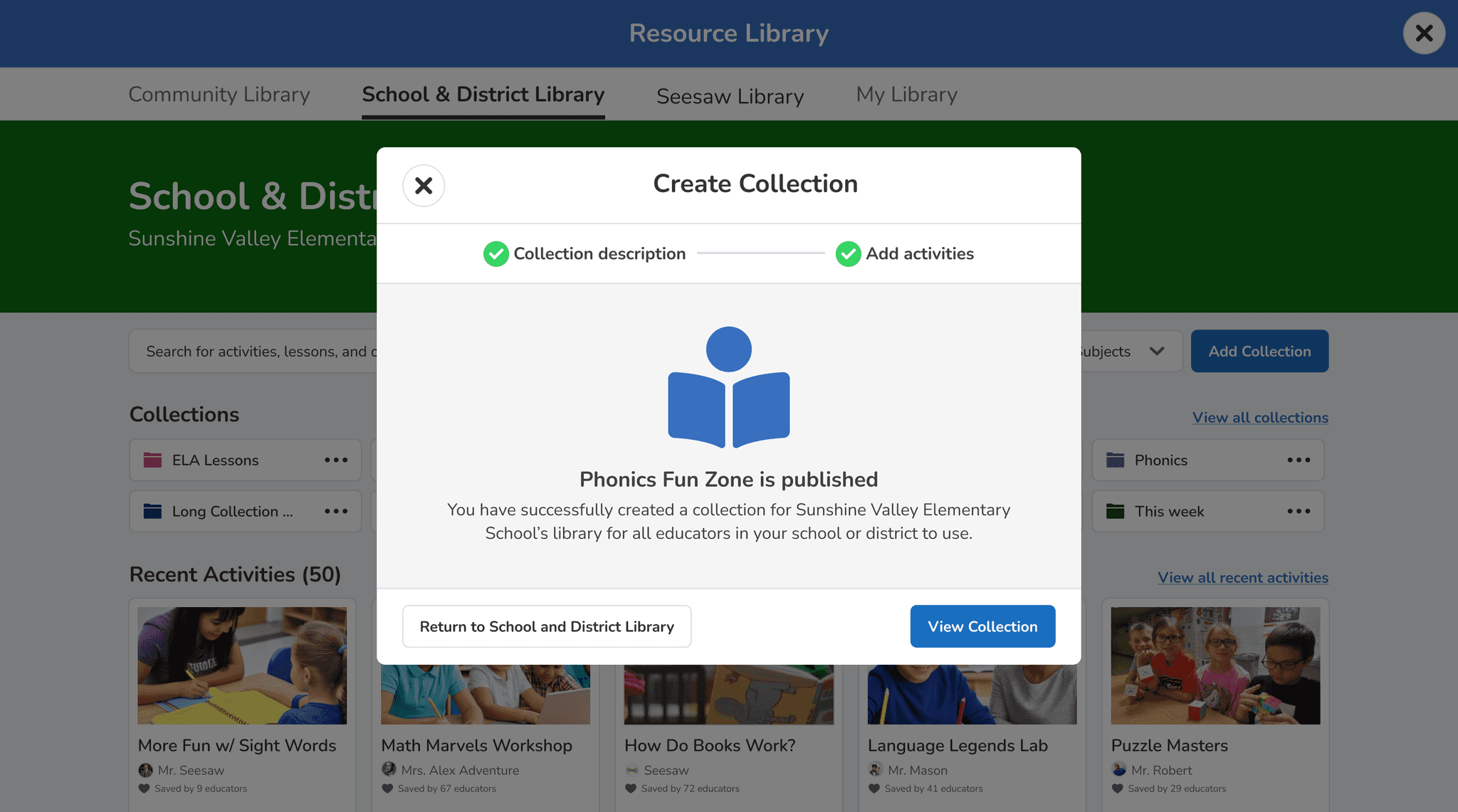
Engineering chose the medium effort approach. The stepped modal was the better user experience, but it required architectural work the legacy stack couldn't support in four months. The medium option delivered real improvement without that risk.
From there I designed the remaining functionality inside collections: adding and editing sections, reordering content, bulk actions, and deleting activities. All validated against engineering constraints before moving to high-fidelity.
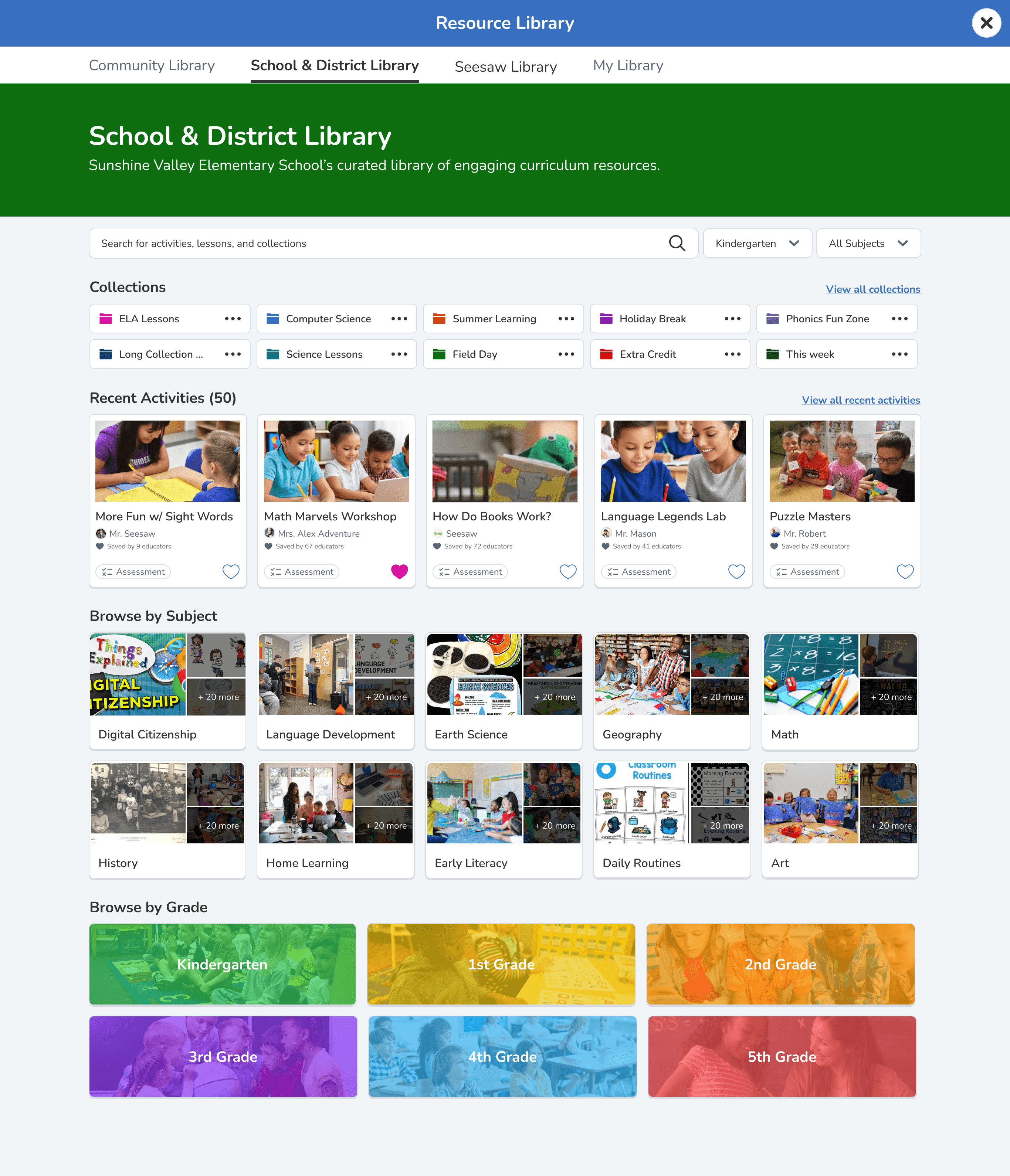
Reorganized Library Homepage
Restructured navigation by subject and grade to improve resource discoverability without requiring backend architecture changes.
Bulk Actions System
Created efficient workflows for multiple activity management, designed to work within existing data relationships and permissions.
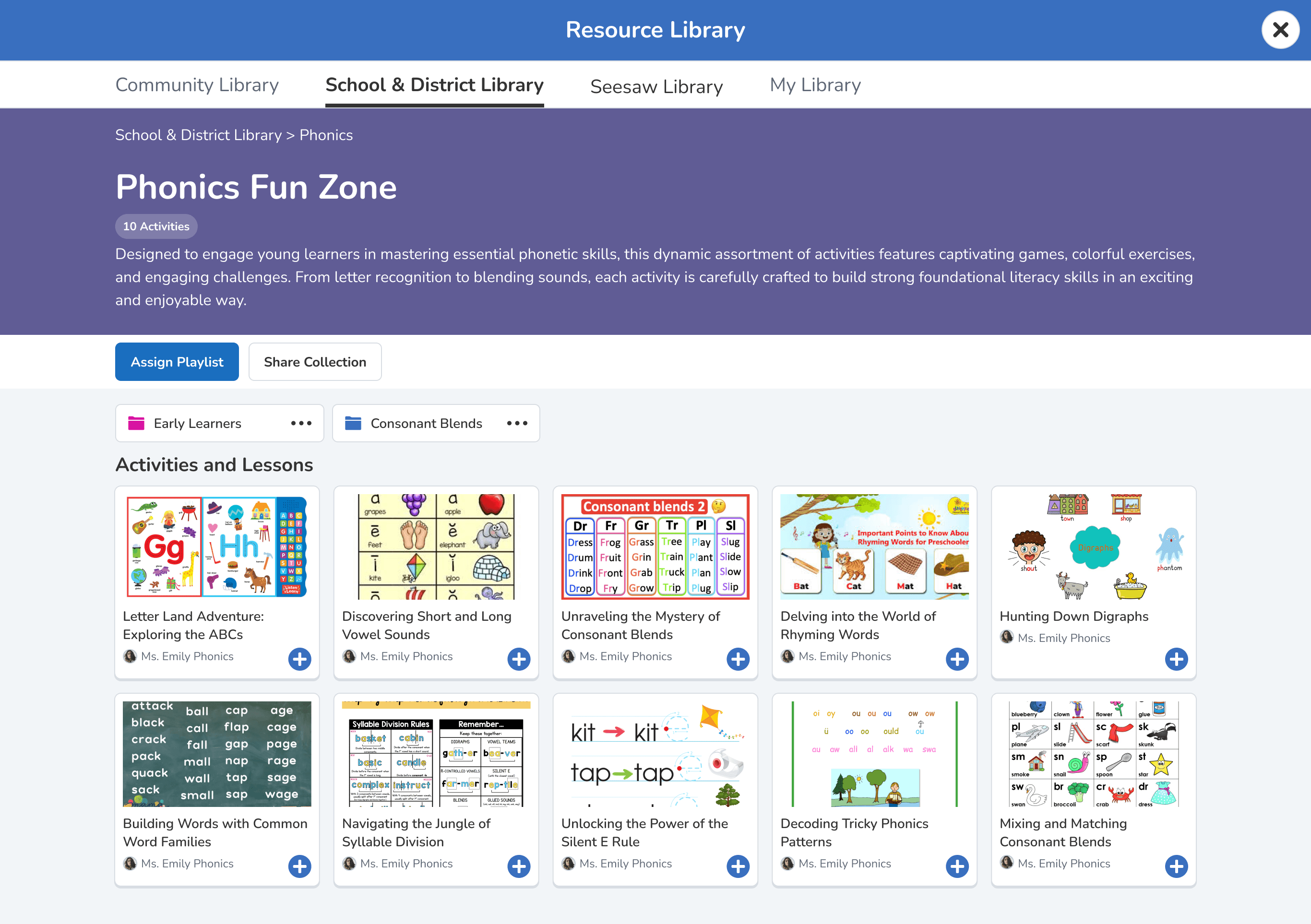
Hierarchical Folder Structure
Enabled nested organization while respecting current database constraints and user permission models.
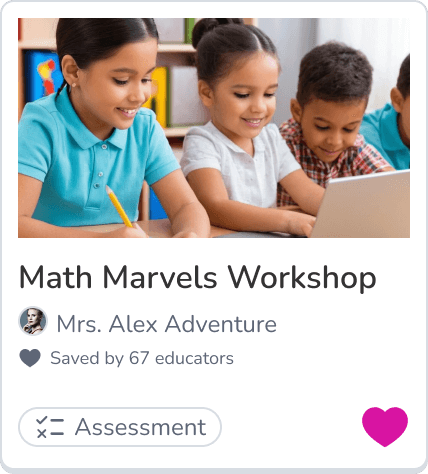
Enhanced Activity Cards
Redesigned information display to help teachers make faster decisions, using existing metadata more effectively.
OUTCOME
15%
Increase in daily active usage among admins
50%
Increase in admin satisfaction on release
"Jordan was an integral part of the Content and Instruction team. Not only was she great at architecting and implementing features end to end, uncovering and fixing bugs quickly, and other engineering work, but she also leaned into her design skills and worked with the design team to propose and refine future design ideas for our part of the product."

Kristen Thayer
Engineering Manager
RETROSPECTIVE
What I'd do differently
The decision to let engineering choose the implementation level worked well — it built trust with the team and meant no late-stage feasibility surprises. Phasing permissions and the approval queue out of the MVP was the right call given the timeline.
What I'd change: I came into this project having also worked on the engineering side of Seesaw's product, which gave me useful context about the tech stack. But it also meant I sometimes assumed I knew the constraints without checking. The stepped modal conversation was one case where a deeper scoping conversation upfront might have surfaced a different path. I'd push harder for that session earlier.

Bridging the Gap in Strategic Planning with ProductPlan
Driving strategic alignment with 54% month to month retention boost with portfolio visualizations

Curriculum Management for School and District Admins
Increasing Daily Active Usage by 15% through optimization of curriculum management
Let's build something worth reading about.
Thank you for your interest in my work. Let’s connect!