
Bright Horizons portal navigation from the marketing website
Bright Horizons
Reducing Benefits Login Drop-Off by 70% at Bright Horizons
Bright Horizons is a leading provider of employer-sponsored child care, early education, and work-life solutions serving employees at more than 1,000 companies. Analysis of 1.1 million sessions revealed that 60% of visitors left the marketing site before ever reaching a login screen, costing employers measurable ROI and surfacing during contract renewal conversations. I led the end-to-end redesign of the login entry flow from BrightHorizons.com to the benefits portal, owning research, design, and cross-functional alignment from December 2023 through Q2 2024 launch.
70%
Drop-off reduction
35%
Increase in user satisfaction
90%
User eligibility self-correction rate
7%
Fewer support tickets
My Role:
I owned the full design arc: defining research questions, recruiting and moderating two rounds of usability testing across 20 US and UK participants, and synthesizing behavioral data from Full Story and Pendo to build the problem brief. The project involved two product managers with distinct platform ownership, and I facilitated the alignment sessions needed to move decisions across team boundaries. My recommendation to build a modal on the marketing site came from testing three competing prototypes, and I presented that case directly to the Director of Enterprise Product.
Constraints:
The redesign had to stay within the existing marketing site infrastructure, which was owned by a separate team from the benefits portal. A standalone portal login button was technically viable, but any copy change would have required engineering coordination across two product teams for every iteration. I discovered this constraint during technical design review in February 2024, mid-prototype phase, and it became the deciding factor between two solutions with identical usability test scores.
Bright Horizons portal navigation from the marketing website
Bright Horizons
Reducing Benefits Login Drop-Off by 70% at Bright Horizons
Bright Horizons is a leading provider of employer-sponsored child care, early education, and work-life solutions serving employees at more than 1,000 companies. Analysis of 1.1 million sessions revealed that 60% of visitors left the marketing site before ever reaching a login screen, costing employers measurable ROI and surfacing during contract renewal conversations. I led the end-to-end redesign of the login entry flow from BrightHorizons.com to the benefits portal, owning research, design, and cross-functional alignment from December 2023 through Q2 2024 launch.
70%
Drop-off reduction
35%
Increase in user satisfaction
90%
User eligibility self-correction rate
7%
Fewer support tickets
My Role:
I owned the full design arc: defining research questions, recruiting and moderating two rounds of usability testing across 20 US and UK participants, and synthesizing behavioral data from Full Story and Pendo to build the problem brief. The project involved two product managers with distinct platform ownership, and I facilitated the alignment sessions needed to move decisions across team boundaries. My recommendation to build a modal on the marketing site came from testing three competing prototypes, and I presented that case directly to the Director of Enterprise Product.
Constraints:
The redesign had to stay within the existing marketing site infrastructure, which was owned by a separate team from the benefits portal. A standalone portal login button was technically viable, but any copy change would have required engineering coordination across two product teams for every iteration. I discovered this constraint during technical design review in February 2024, mid-prototype phase, and it became the deciding factor between two solutions with identical usability test scores.
Bright Horizons portal navigation from the marketing website
Bright Horizons
Reducing Benefits Login Drop-Off by 70% at Bright Horizons
Bright Horizons is a leading provider of employer-sponsored child care, early education, and work-life solutions serving employees at more than 1,000 companies. Analysis of 1.1 million sessions revealed that 60% of visitors left the marketing site before ever reaching a login screen, costing employers measurable ROI and surfacing during contract renewal conversations. I led the end-to-end redesign of the login entry flow from BrightHorizons.com to the benefits portal, owning research, design, and cross-functional alignment from December 2023 through Q2 2024 launch.
70%
Drop-off reduction
35%
Increase in user satisfaction
90%
User eligibility self-correction rate
7%
Fewer support tickets
My Role:
I owned the full design arc: defining research questions, recruiting and moderating two rounds of usability testing across 20 US and UK participants, and synthesizing behavioral data from Full Story and Pendo to build the problem brief. The project involved two product managers with distinct platform ownership, and I facilitated the alignment sessions needed to move decisions across team boundaries. My recommendation to build a modal on the marketing site came from testing three competing prototypes, and I presented that case directly to the Director of Enterprise Product.
Constraints:
The redesign had to stay within the existing marketing site infrastructure, which was owned by a separate team from the benefits portal. A standalone portal login button was technically viable, but any copy change would have required engineering coordination across two product teams for every iteration. I discovered this constraint during technical design review in February 2024, mid-prototype phase, and it became the deciding factor between two solutions with identical usability test scores.
THE PROBLEM
A Login Flow That Was Costing Employers Their ROI
Bright Horizons sells employer-sponsored benefits: child care, back-up care, elder care, and education assistance. Employers fund and promote these benefits to attract and retain talent. When renewal season arrived, employers flagged a problem. Their employees weren't using the benefits, and the data showed they were dropping off before ever reaching a portal. Analysis of 1.1 million sessions between August 2022 and August 2023 showed the scale of the failure. Sixty percent of visitors left after their first interaction, and another 31% left after clicking the login button but before completing the action. Only 9% of all visitors ever reached the login or sign-up screen. For a company whose revenue depends on employees actively using their employer-sponsored benefits, that number was unsustainable. Root cause analysis via Full Story session recordings and Pendo behavior analytics pointed to four factors: no clear affordance for the login path, multiple competing calls-to-action creating decision paralysis, a site architecture not built around user mental models, and visual inconsistency that eroded orientation.
Who it was failing
The people using BrightHorizons.com to access their benefits were employees at large companies who arrived with a specific task: log in and access the benefit their employer had already paid for. They were not browsing. They were looking for a login button. The site was organized around Bright Horizons' service lines, not around how employees think about their own situation. A parent looking for emergency childcare didn't know to look for "Back-Up Care." A person seeking elder care support didn't know it was nested under a different portal. "Family Information Center," the label used throughout the site, meant nothing to users who had never encountered that term before. It was internal naming that had made it to the public-facing homepage without translation. One participant said it plainly: "It wasn't clear this is where you find childcare. I didn't know I was heading towards the FIC until I arrived." This wasn't an edge case. It was the dominant experience for 91% of visitors.
THE PROBLEM
A Login Flow That Was Costing Employers Their ROI
Bright Horizons sells employer-sponsored benefits: child care, back-up care, elder care, and education assistance. Employers fund and promote these benefits to attract and retain talent. When renewal season arrived, employers flagged a problem. Their employees weren't using the benefits, and the data showed they were dropping off before ever reaching a portal. Analysis of 1.1 million sessions between August 2022 and August 2023 showed the scale of the failure. Sixty percent of visitors left after their first interaction, and another 31% left after clicking the login button but before completing the action. Only 9% of all visitors ever reached the login or sign-up screen. For a company whose revenue depends on employees actively using their employer-sponsored benefits, that number was unsustainable. Root cause analysis via Full Story session recordings and Pendo behavior analytics pointed to four factors: no clear affordance for the login path, multiple competing calls-to-action creating decision paralysis, a site architecture not built around user mental models, and visual inconsistency that eroded orientation.
Who it was failing
The people using BrightHorizons.com to access their benefits were employees at large companies who arrived with a specific task: log in and access the benefit their employer had already paid for. They were not browsing. They were looking for a login button. The site was organized around Bright Horizons' service lines, not around how employees think about their own situation. A parent looking for emergency childcare didn't know to look for "Back-Up Care." A person seeking elder care support didn't know it was nested under a different portal. "Family Information Center," the label used throughout the site, meant nothing to users who had never encountered that term before. It was internal naming that had made it to the public-facing homepage without translation. One participant said it plainly: "It wasn't clear this is where you find childcare. I didn't know I was heading towards the FIC until I arrived." This wasn't an edge case. It was the dominant experience for 91% of visitors.
THE PROBLEM
A Login Flow That Was Costing Employers Their ROI
Bright Horizons sells employer-sponsored benefits: child care, back-up care, elder care, and education assistance. Employers fund and promote these benefits to attract and retain talent. When renewal season arrived, employers flagged a problem. Their employees weren't using the benefits, and the data showed they were dropping off before ever reaching a portal. Analysis of 1.1 million sessions between August 2022 and August 2023 showed the scale of the failure. Sixty percent of visitors left after their first interaction, and another 31% left after clicking the login button but before completing the action. Only 9% of all visitors ever reached the login or sign-up screen. For a company whose revenue depends on employees actively using their employer-sponsored benefits, that number was unsustainable. Root cause analysis via Full Story session recordings and Pendo behavior analytics pointed to four factors: no clear affordance for the login path, multiple competing calls-to-action creating decision paralysis, a site architecture not built around user mental models, and visual inconsistency that eroded orientation.
Who it was failing
The people using BrightHorizons.com to access their benefits were employees at large companies who arrived with a specific task: log in and access the benefit their employer had already paid for. They were not browsing. They were looking for a login button. The site was organized around Bright Horizons' service lines, not around how employees think about their own situation. A parent looking for emergency childcare didn't know to look for "Back-Up Care." A person seeking elder care support didn't know it was nested under a different portal. "Family Information Center," the label used throughout the site, meant nothing to users who had never encountered that term before. It was internal naming that had made it to the public-facing homepage without translation. One participant said it plainly: "It wasn't clear this is where you find childcare. I didn't know I was heading towards the FIC until I arrived." This wasn't an edge case. It was the dominant experience for 91% of visitors.
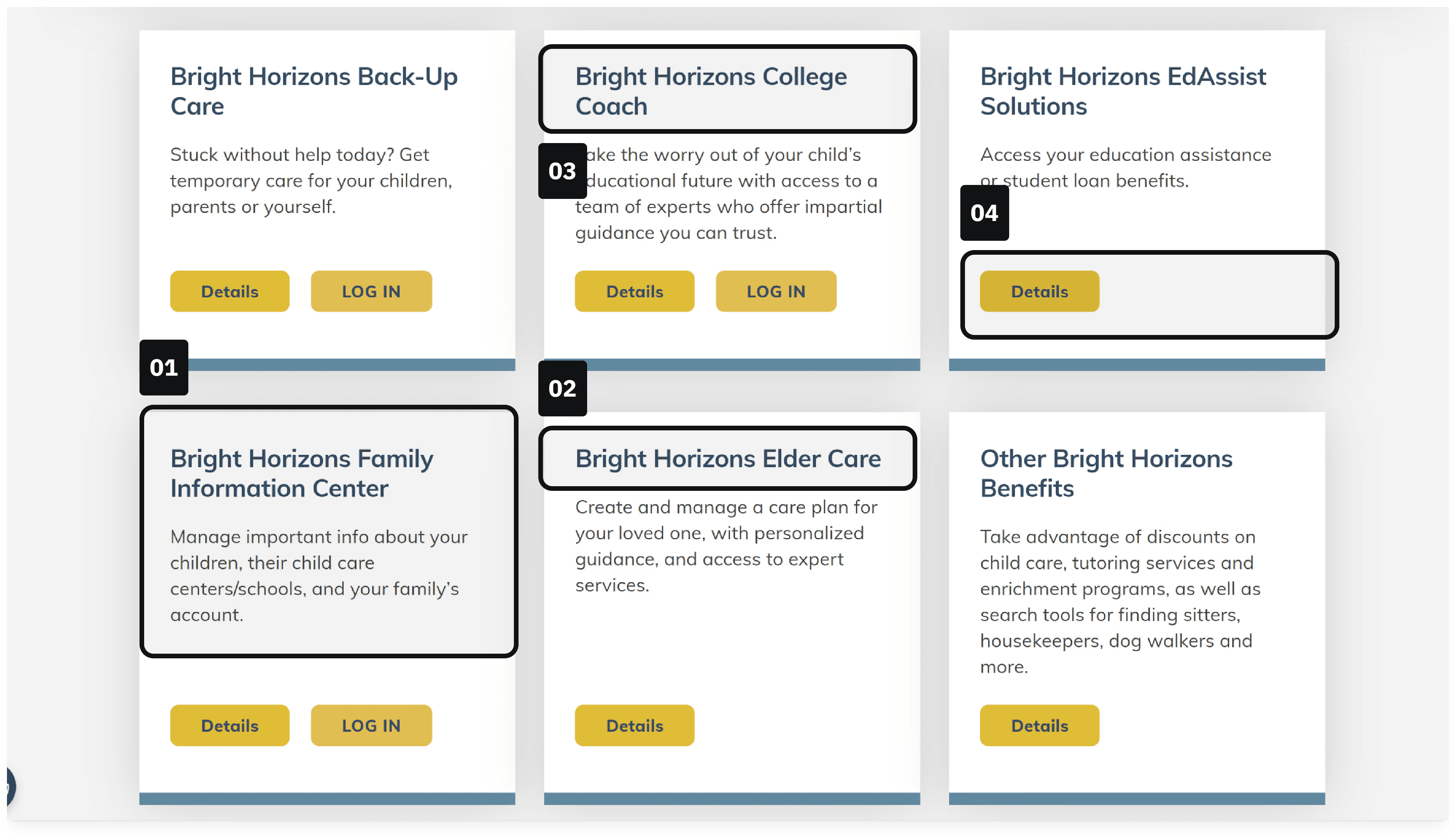
Legacy login page for BrightHorizons.com
01
Not clear to users that this is the portal for their preschool and day-care
02
Not a service by itself; Elder Care is contained in the Back-Up Care services
03
Often confused with EdAssist and is not always offered by all participating employers
04
No login button; Portal needs the employer before the user can login
RESEARCH AND DISCOVERY
Three competing designs, two audience segments, one winner
To avoid designing toward an assumed solution, I structured round one of testing around a direct comparison of three approaches: a dropdown selector, a standalone enterprise login button, and a modal triggered from the marketing homepage. I recruited 20 participants: 15 external users across the US and UK (18+, high school diploma or above, $25,000+ household income) and 5 internal BH employees whose children were enrolled in BH childcare. The dropdown failed completely. On mobile it was hidden, and even on desktop, participants couldn't distinguish between the options. Task success rate: zero percent. The enterprise login button and the modal both achieved 60% task success. That equal result was the first signal that the decision between them wouldn't be made on usability.
RESEARCH AND DISCOVERY
Three competing designs, two audience segments, one winner
To avoid designing toward an assumed solution, I structured round one of testing around a direct comparison of three approaches: a dropdown selector, a standalone enterprise login button, and a modal triggered from the marketing homepage. I recruited 20 participants: 15 external users across the US and UK (18+, high school diploma or above, $25,000+ household income) and 5 internal BH employees whose children were enrolled in BH childcare. The dropdown failed completely. On mobile it was hidden, and even on desktop, participants couldn't distinguish between the options. Task success rate: zero percent. The enterprise login button and the modal both achieved 60% task success. That equal result was the first signal that the decision between them wouldn't be made on usability.
RESEARCH AND DISCOVERY
Three competing designs, two audience segments, one winner
To avoid designing toward an assumed solution, I structured round one of testing around a direct comparison of three approaches: a dropdown selector, a standalone enterprise login button, and a modal triggered from the marketing homepage. I recruited 20 participants: 15 external users across the US and UK (18+, high school diploma or above, $25,000+ household income) and 5 internal BH employees whose children were enrolled in BH childcare. The dropdown failed completely. On mobile it was hidden, and even on desktop, participants couldn't distinguish between the options. Task success rate: zero percent. The enterprise login button and the modal both achieved 60% task success. That equal result was the first signal that the decision between them wouldn't be made on usability.
BrightHorizons.com Dropdown
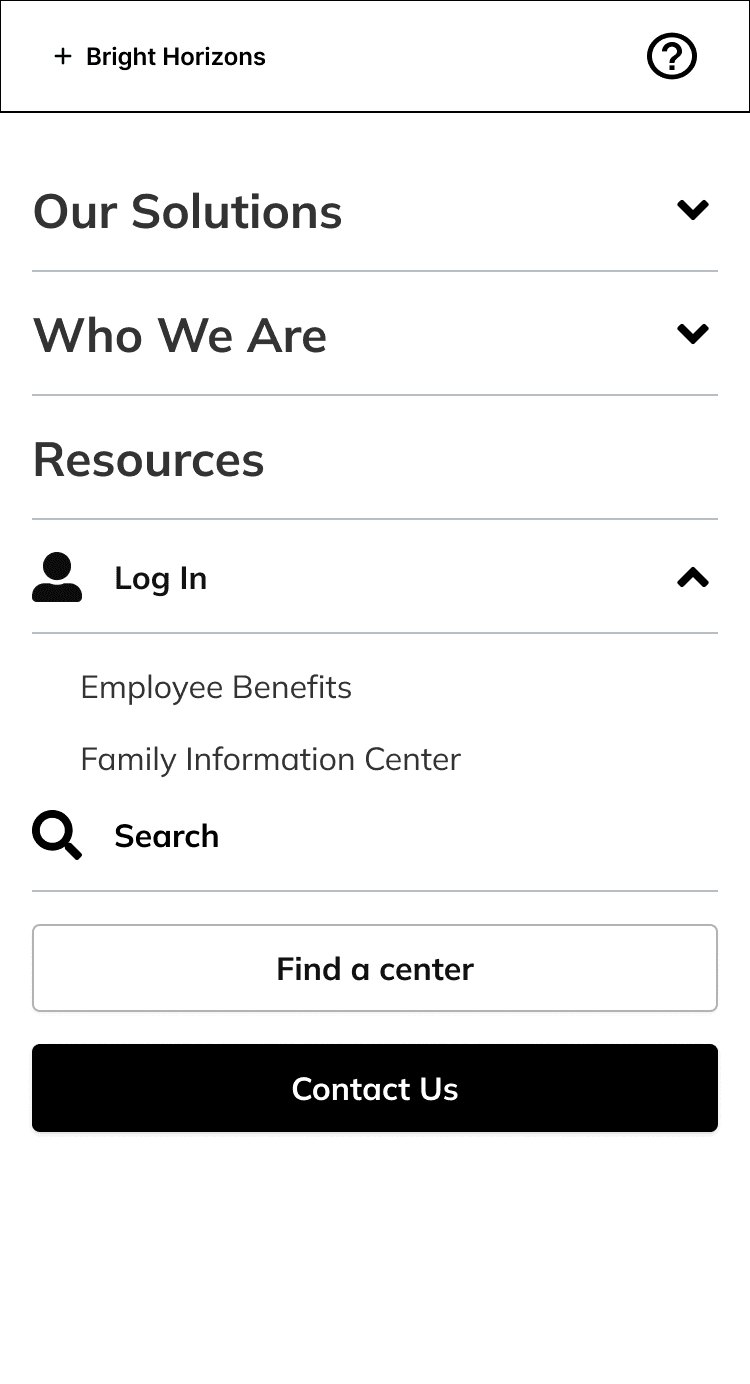
0% task success
Hidden on mobile. No context for options. Users couldn't distinguish between portals.
Enterprise Login Button
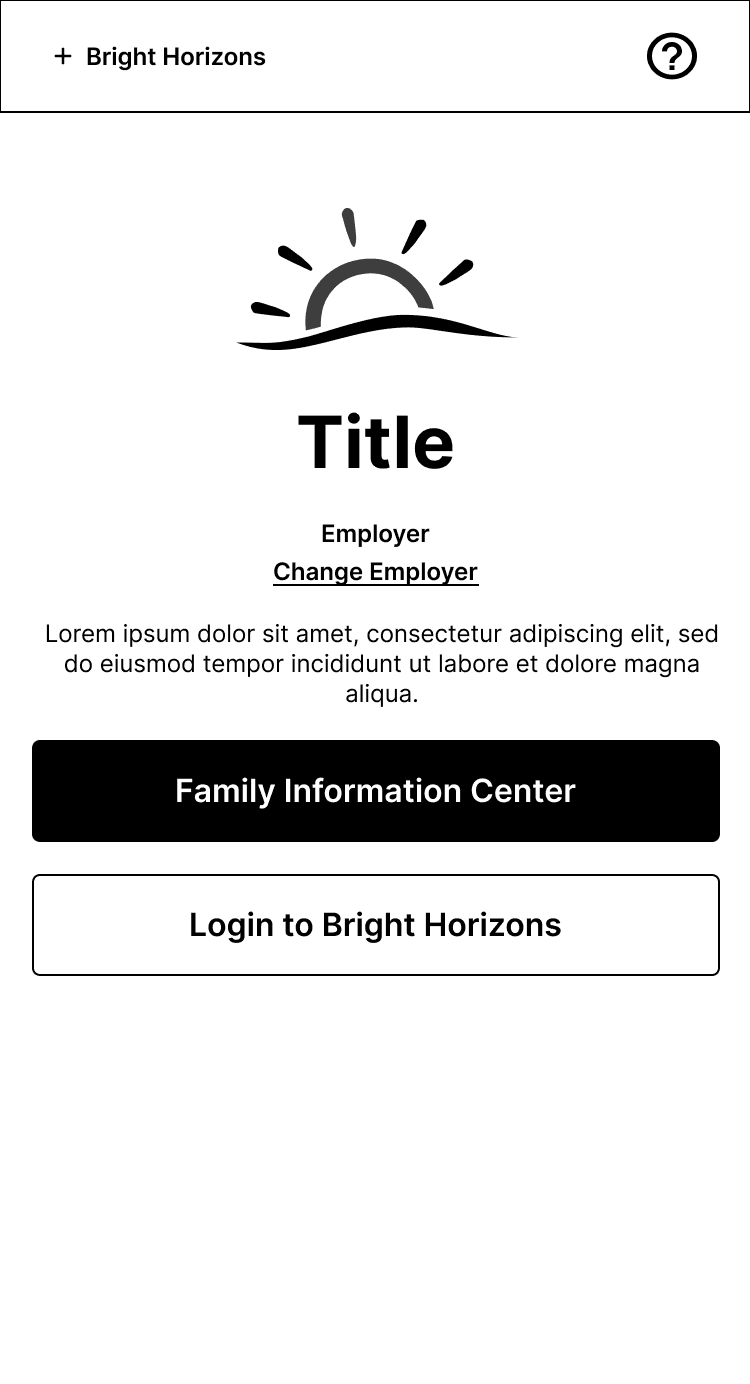
60% task success
More visible. But directing users off-site mid-journey created a cross-team dependency on every copy change.
Login Modal on Marketing Site
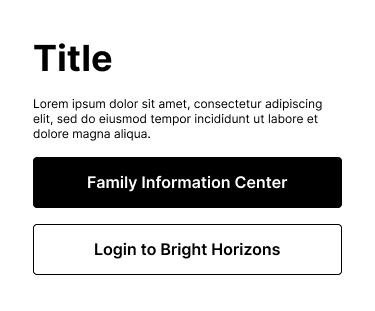
60% task success
Same success rate, but kept users on the marketing site. More room for helper text. One team controlled the experience end to end.
The finding that changed the copy direction
Round two validated the modal with five participants and focused on copy comprehension. The headline finding was not login success rate. It was portal disambiguation. Sixty percent of participants could distinguish between Family Information Center and MyBH without additional helper text. Forty percent could not. When I brought this data to a joint review with marketing and product, both teams had a stake in the language. Marketing had brand equity in the "Family Information Center" name. Product wanted something more functional. The data made the decision. Every participant hesitated at "Family Information Center" and moved immediately on "Child Care Center." I presented that observation directly, and the teams aligned on plain language.
The finding that changed the copy direction
Round two validated the modal with five participants and focused on copy comprehension. The headline finding was not login success rate. It was portal disambiguation. Sixty percent of participants could distinguish between Family Information Center and MyBH without additional helper text. Forty percent could not. When I brought this data to a joint review with marketing and product, both teams had a stake in the language. Marketing had brand equity in the "Family Information Center" name. Product wanted something more functional. The data made the decision. Every participant hesitated at "Family Information Center" and moved immediately on "Child Care Center." I presented that observation directly, and the teams aligned on plain language.
The finding that changed the copy direction
Round two validated the modal with five participants and focused on copy comprehension. The headline finding was not login success rate. It was portal disambiguation. Sixty percent of participants could distinguish between Family Information Center and MyBH without additional helper text. Forty percent could not. When I brought this data to a joint review with marketing and product, both teams had a stake in the language. Marketing had brand equity in the "Family Information Center" name. Product wanted something more functional. The data made the decision. Every participant hesitated at "Family Information Center" and moved immediately on "Child Care Center." I presented that observation directly, and the teams aligned on plain language.
Distracting, unnecessary, confusing for context
Distracting, unnecessary, confusing for context
Not all services are employer-sponsored benefits
Unclear what these buttons mean and why FIC is the primary
BEFORE
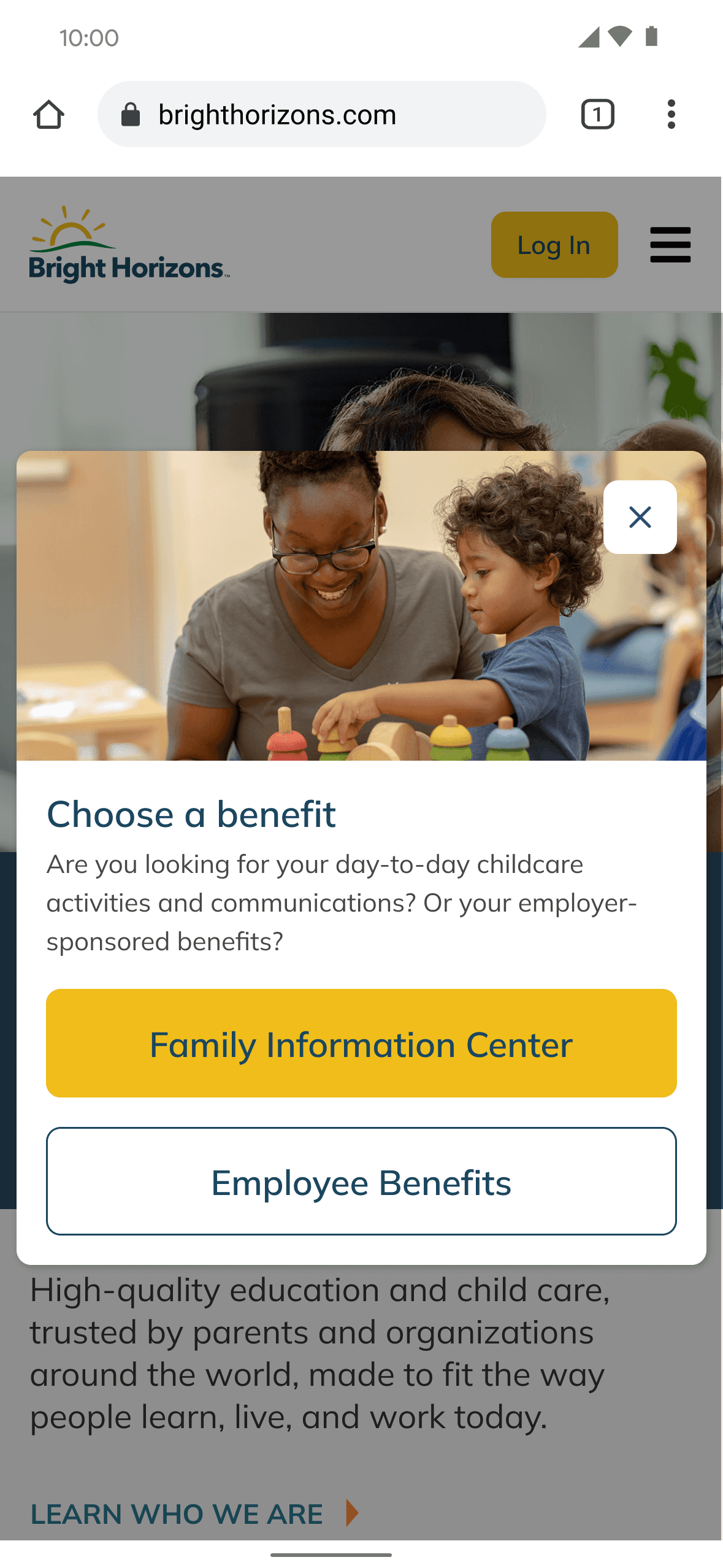
Lots of personality without context
While the first solution had lots of personality and color, it lacked the context needed for the user.
AFTER
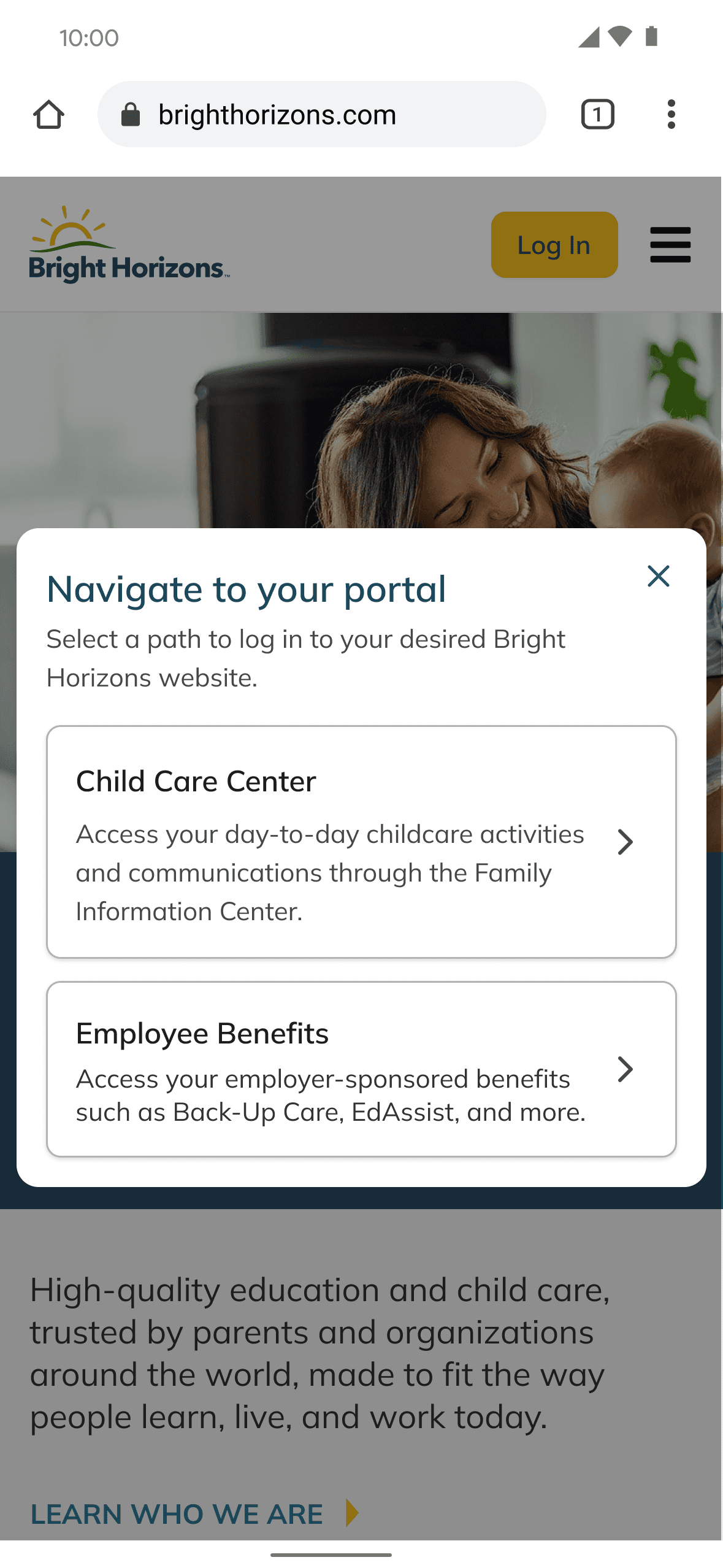
Minimalist became the most intuitive
Removing a lot of distractions and colors became the answer for the most intuitive modal.
More generalized to accommodate different personas
Changed to "Child Care Center" for the sake of plain language
Extra helper text for context and removed unneccessary heirarchy of buttons
DESIGN SOLUTION
Why I chose the modal over the button
The enterprise login button and the modal tied at 60% usability success. I recommended the modal. The reason was operational, not usability-based. The button approach would have directed users off-site to a separately owned portal, meaning any copy change would require cross-team engineering coordination every time. Given how directly copy was affecting comprehension, that bottleneck would have made post-launch iteration nearly impossible. The modal kept the experience on the marketing site under one team's ownership, with a copy surface the button format couldn't provide. That helper text was not decoration. It was the mechanism that resolved the portal disambiguation problem the research had identified.
DESIGN SOLUTION
Why I chose the modal over the button
The enterprise login button and the modal tied at 60% usability success. I recommended the modal. The reason was operational, not usability-based. The button approach would have directed users off-site to a separately owned portal, meaning any copy change would require cross-team engineering coordination every time. Given how directly copy was affecting comprehension, that bottleneck would have made post-launch iteration nearly impossible. The modal kept the experience on the marketing site under one team's ownership, with a copy surface the button format couldn't provide. That helper text was not decoration. It was the mechanism that resolved the portal disambiguation problem the research had identified.
DESIGN SOLUTION
Why I chose the modal over the button
The enterprise login button and the modal tied at 60% usability success. I recommended the modal. The reason was operational, not usability-based. The button approach would have directed users off-site to a separately owned portal, meaning any copy change would require cross-team engineering coordination every time. Given how directly copy was affecting comprehension, that bottleneck would have made post-launch iteration nearly impossible. The modal kept the experience on the marketing site under one team's ownership, with a copy surface the button format couldn't provide. That helper text was not decoration. It was the mechanism that resolved the portal disambiguation problem the research had identified.
Plain langauge over internal terminology
The first modal iteration had visual personality but failed on copy. Internal testing surfaced three problems: "Choose a benefit" read as awkward, the yellow CTA didn't signal destination, and "Family Information Center" appeared only after users had already committed to a path. I revised the modal to remove visual clutter, replace "Family Information Center" with "Child Care Center," add one-line descriptions beneath each portal option, and reorganize the content so users could orient before clicking. The yellow button hierarchy was eliminated. The final version was described by participants as "the most intuitive" approach tested.
Plain langauge over internal terminology
The first modal iteration had visual personality but failed on copy. Internal testing surfaced three problems: "Choose a benefit" read as awkward, the yellow CTA didn't signal destination, and "Family Information Center" appeared only after users had already committed to a path. I revised the modal to remove visual clutter, replace "Family Information Center" with "Child Care Center," add one-line descriptions beneath each portal option, and reorganize the content so users could orient before clicking. The yellow button hierarchy was eliminated. The final version was described by participants as "the most intuitive" approach tested.
Plain langauge over internal terminology
The first modal iteration had visual personality but failed on copy. Internal testing surfaced three problems: "Choose a benefit" read as awkward, the yellow CTA didn't signal destination, and "Family Information Center" appeared only after users had already committed to a path. I revised the modal to remove visual clutter, replace "Family Information Center" with "Child Care Center," add one-line descriptions beneath each portal option, and reorganize the content so users could orient before clicking. The yellow button hierarchy was eliminated. The final version was described by participants as "the most intuitive" approach tested.
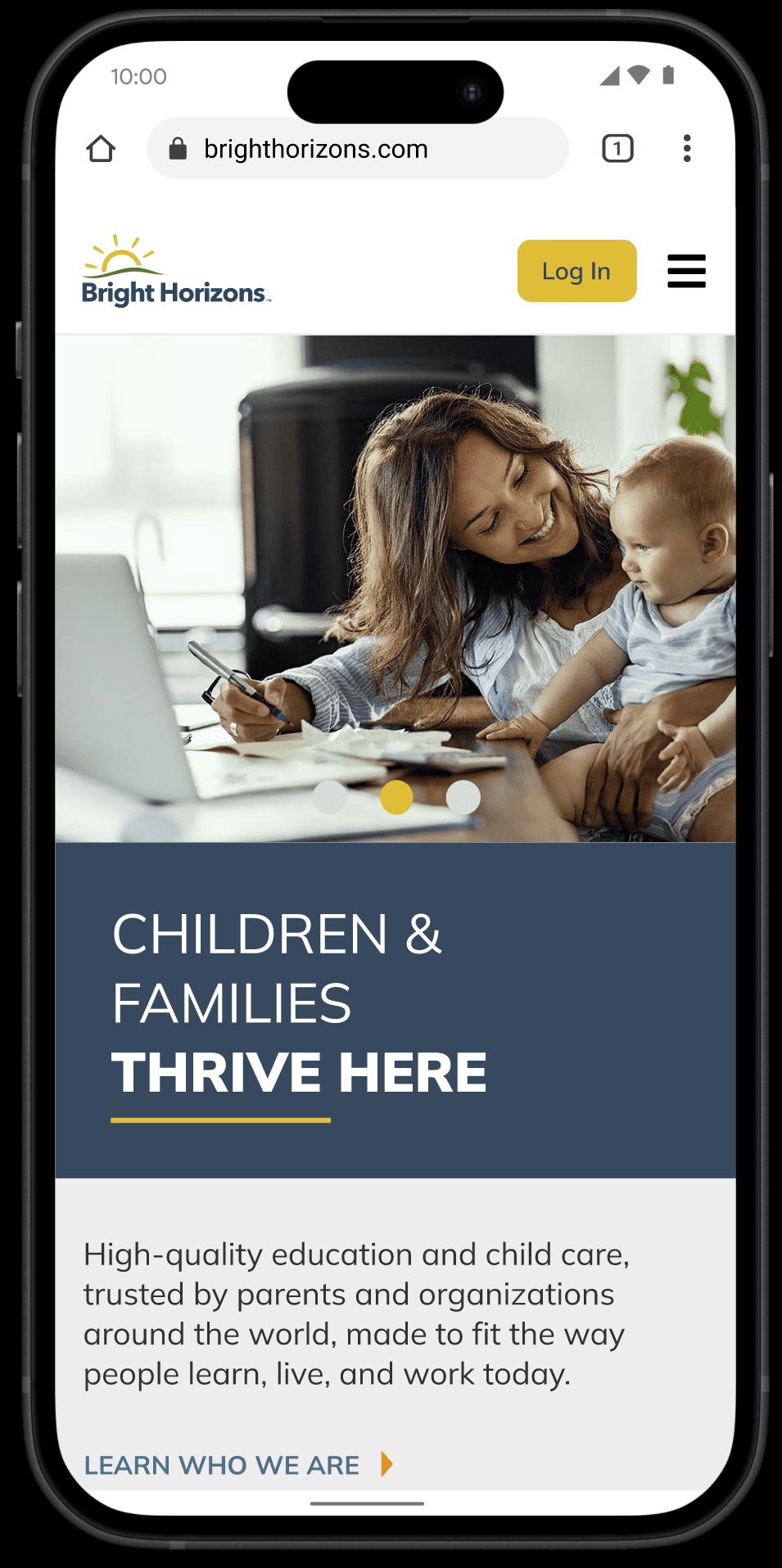
Click Login
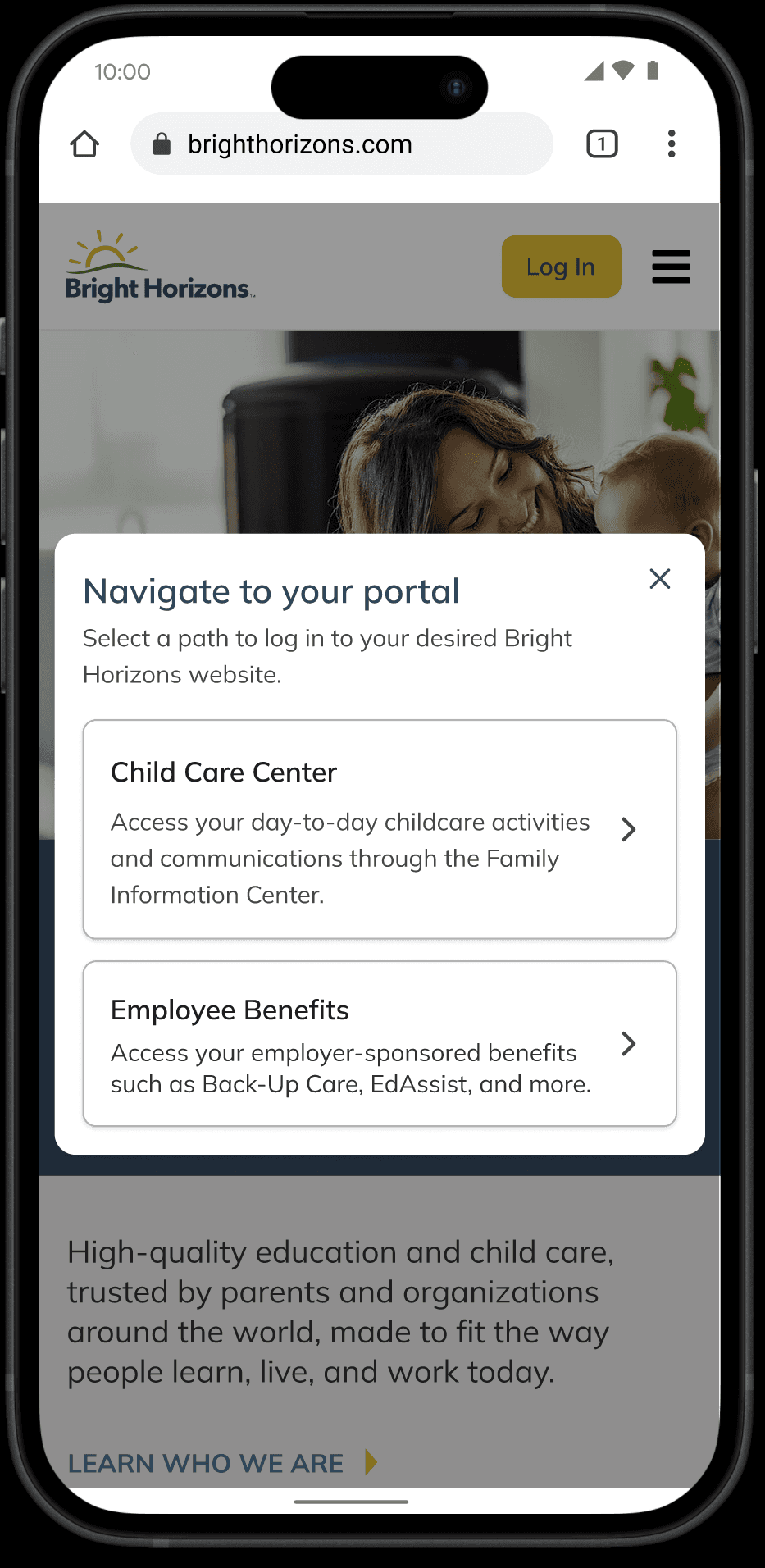
Portal Selection
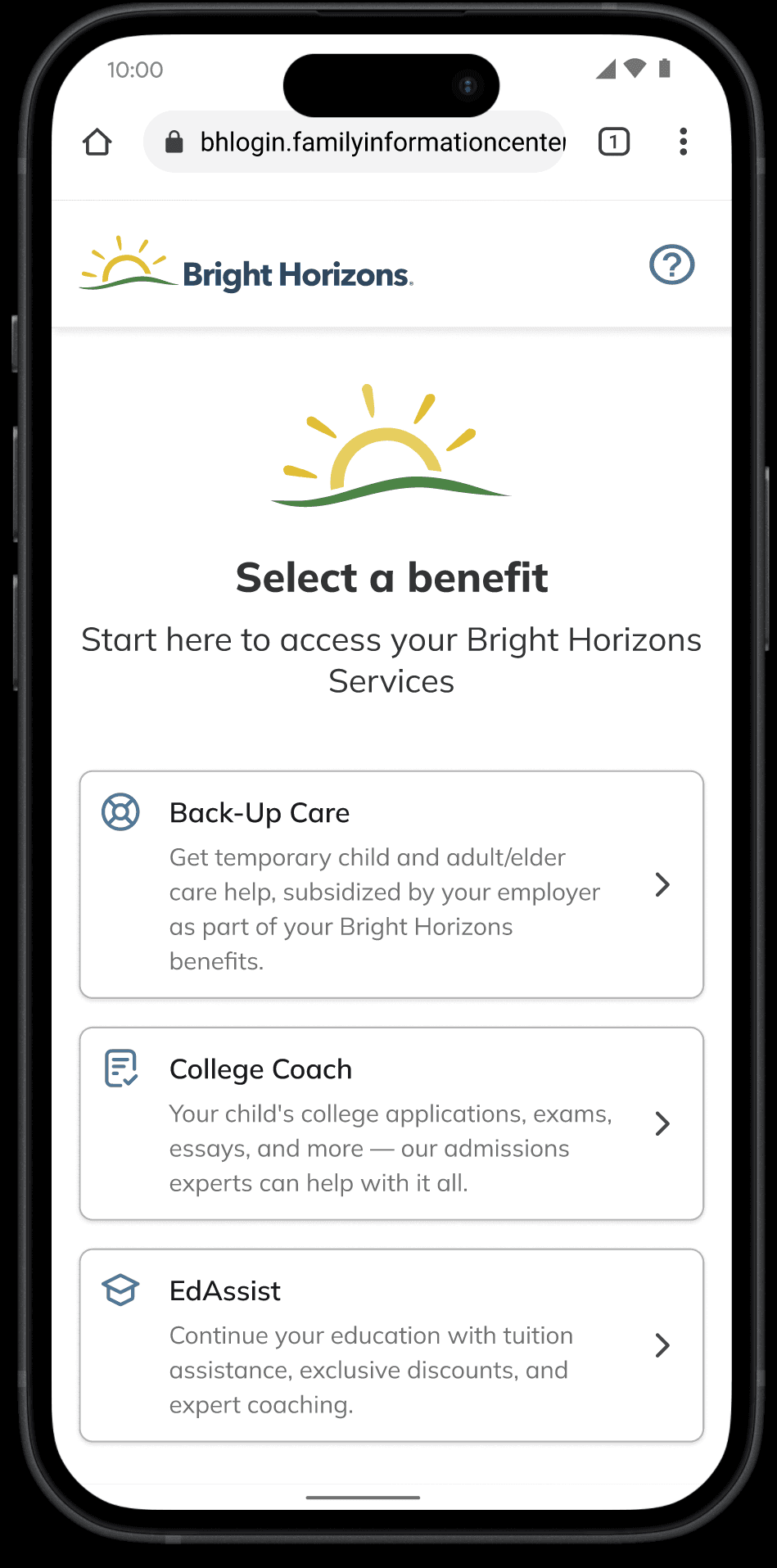
Benefit Selection
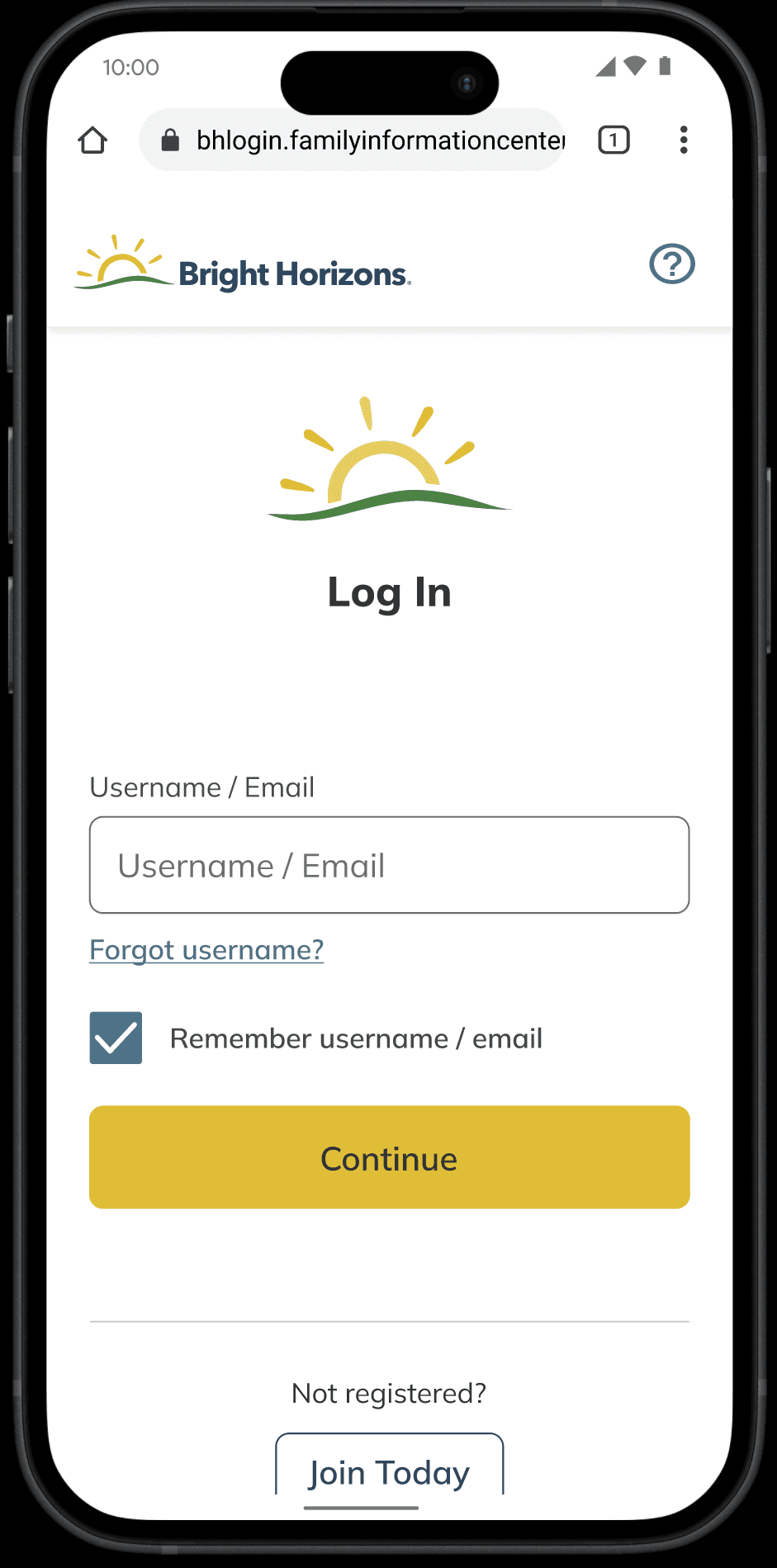
Username
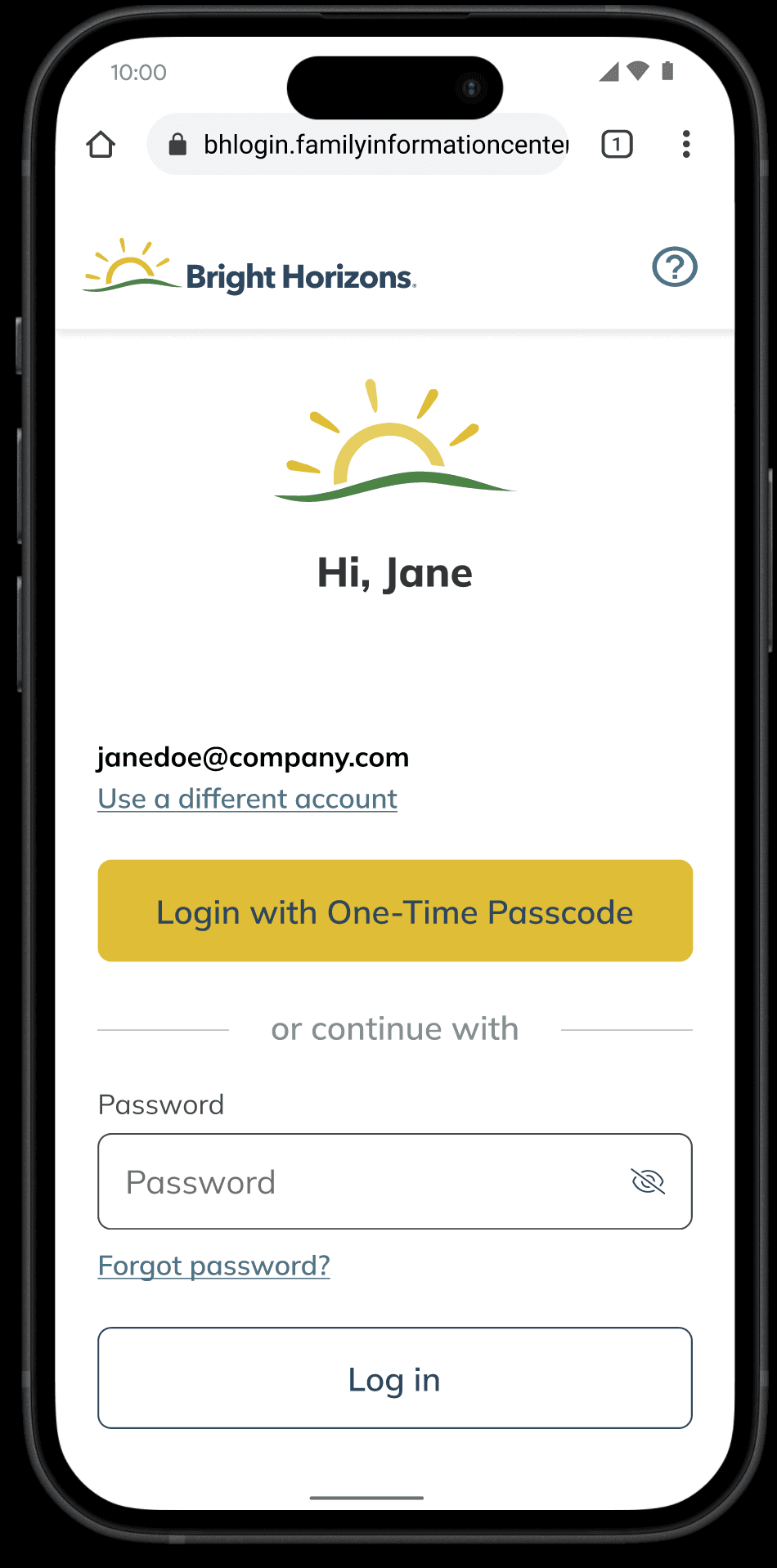
Password / OTP
RETROSPECTIVE
Outcome
The redesigned login flow launched in Q2 2024. Post-launch measurement against the pre-project baseline showed a 70% decrease in user drop-off from the login experience, a 35% increase in user satisfaction scores, and a 90% rate of users self-correcting eligibility errors on the login page without contacting support. Login-related support ticket volume dropped 7% in the quarter following launch. Revenue modeling attributed approximately $700,000 in projected recovery to a 2% increase in active benefits users. The project OKRs had targeted a 30% bounce reduction and a 10% support ticket decrease. Both were exceeded.
What I’d do differently
I would include internal BH employees in the research planning phase, not just the testing phase. Round one had an internal segment, but they were used primarily to check for issues external participants missed. The double-login confusion and the "Choose a benefit" copy problem were both flagged by internal participants. They surfaced late enough to add a refinement cycle rather than prevent one. Including that segment earlier would have shaped modal copy before the first iteration, not during it.
RETROSPECTIVE
Outcome
The redesigned login flow launched in Q2 2024. Post-launch measurement against the pre-project baseline showed a 70% decrease in user drop-off from the login experience, a 35% increase in user satisfaction scores, and a 90% rate of users self-correcting eligibility errors on the login page without contacting support. Login-related support ticket volume dropped 7% in the quarter following launch. Revenue modeling attributed approximately $700,000 in projected recovery to a 2% increase in active benefits users. The project OKRs had targeted a 30% bounce reduction and a 10% support ticket decrease. Both were exceeded.
What I’d do differently
I would include internal BH employees in the research planning phase, not just the testing phase. Round one had an internal segment, but they were used primarily to check for issues external participants missed. The double-login confusion and the "Choose a benefit" copy problem were both flagged by internal participants. They surfaced late enough to add a refinement cycle rather than prevent one. Including that segment earlier would have shaped modal copy before the first iteration, not during it.
RETROSPECTIVE
Outcome
The redesigned login flow launched in Q2 2024. Post-launch measurement against the pre-project baseline showed a 70% decrease in user drop-off from the login experience, a 35% increase in user satisfaction scores, and a 90% rate of users self-correcting eligibility errors on the login page without contacting support. Login-related support ticket volume dropped 7% in the quarter following launch. Revenue modeling attributed approximately $700,000 in projected recovery to a 2% increase in active benefits users. The project OKRs had targeted a 30% bounce reduction and a 10% support ticket decrease. Both were exceeded.
What I’d do differently
I would include internal BH employees in the research planning phase, not just the testing phase. Round one had an internal segment, but they were used primarily to check for issues external participants missed. The double-login confusion and the "Choose a benefit" copy problem were both flagged by internal participants. They surfaced late enough to add a refinement cycle rather than prevent one. Including that segment earlier would have shaped modal copy before the first iteration, not during it.
Featured Case Studies
Featured Case Studies

Bridging the Gap in Strategic Planning with ProductPlan
Driving strategic alignment with 54% month to month retention boost with portfolio visualizations

Curriculum Management for School and District Admins
Increasing Daily Active Usage by 15% through optimization of curriculum management
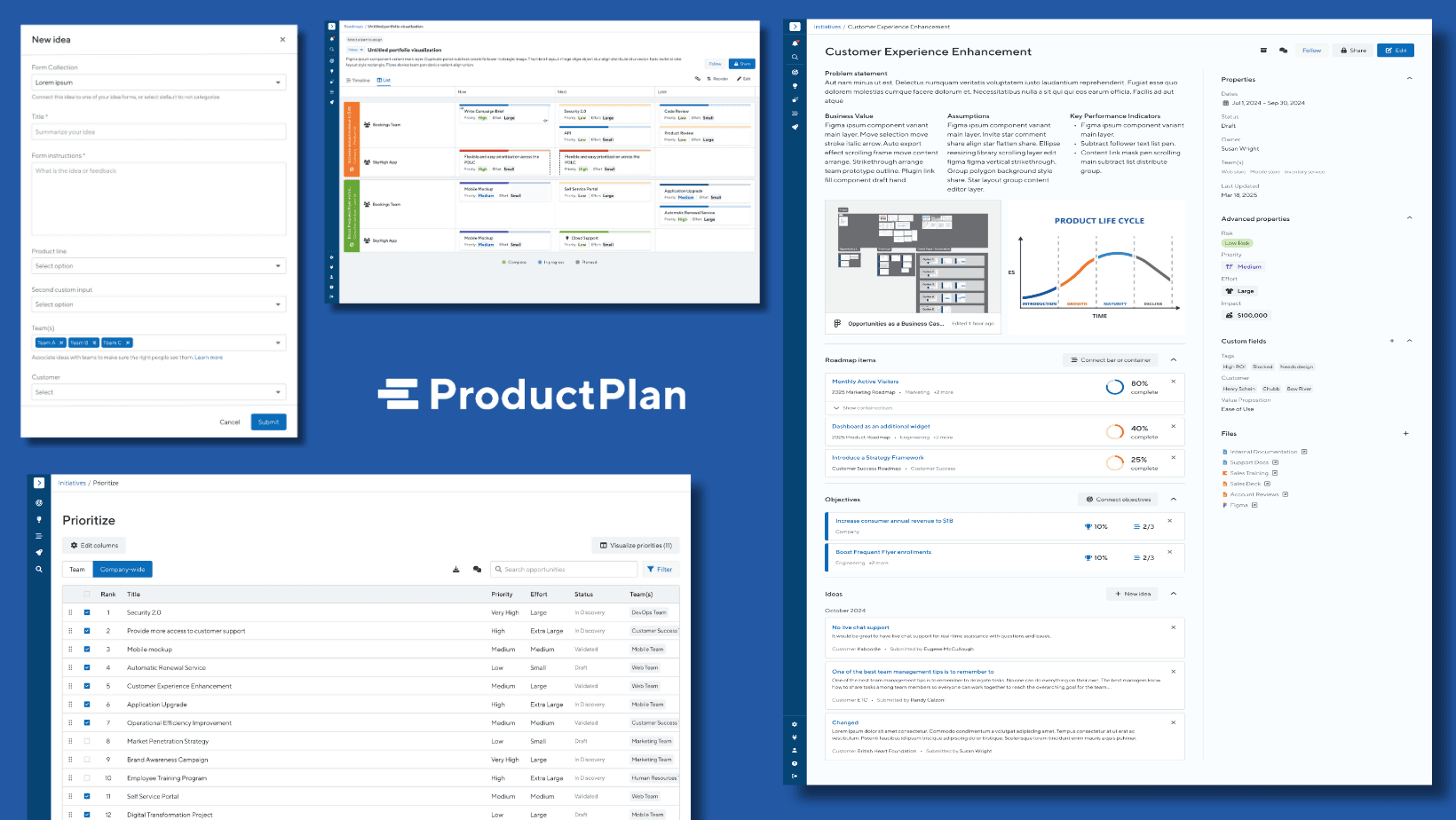
Streamlining Product Development to Reduce Workflow Fragmentation
Achieving a 27% Increase in User Engagement through Streamlined Product Development
Let's build something worth reading about.
Thank you for your interest in my work. Let’s connect!